QR Codes in Email Marketing: Do They Work? (2026)
Putting a QR code in an email seems odd, the reader is already on a device that can click. But in the right situations, QR codes in email marketing genuinely help. Here is when they work, when they do not, and how to use them well in 2026.

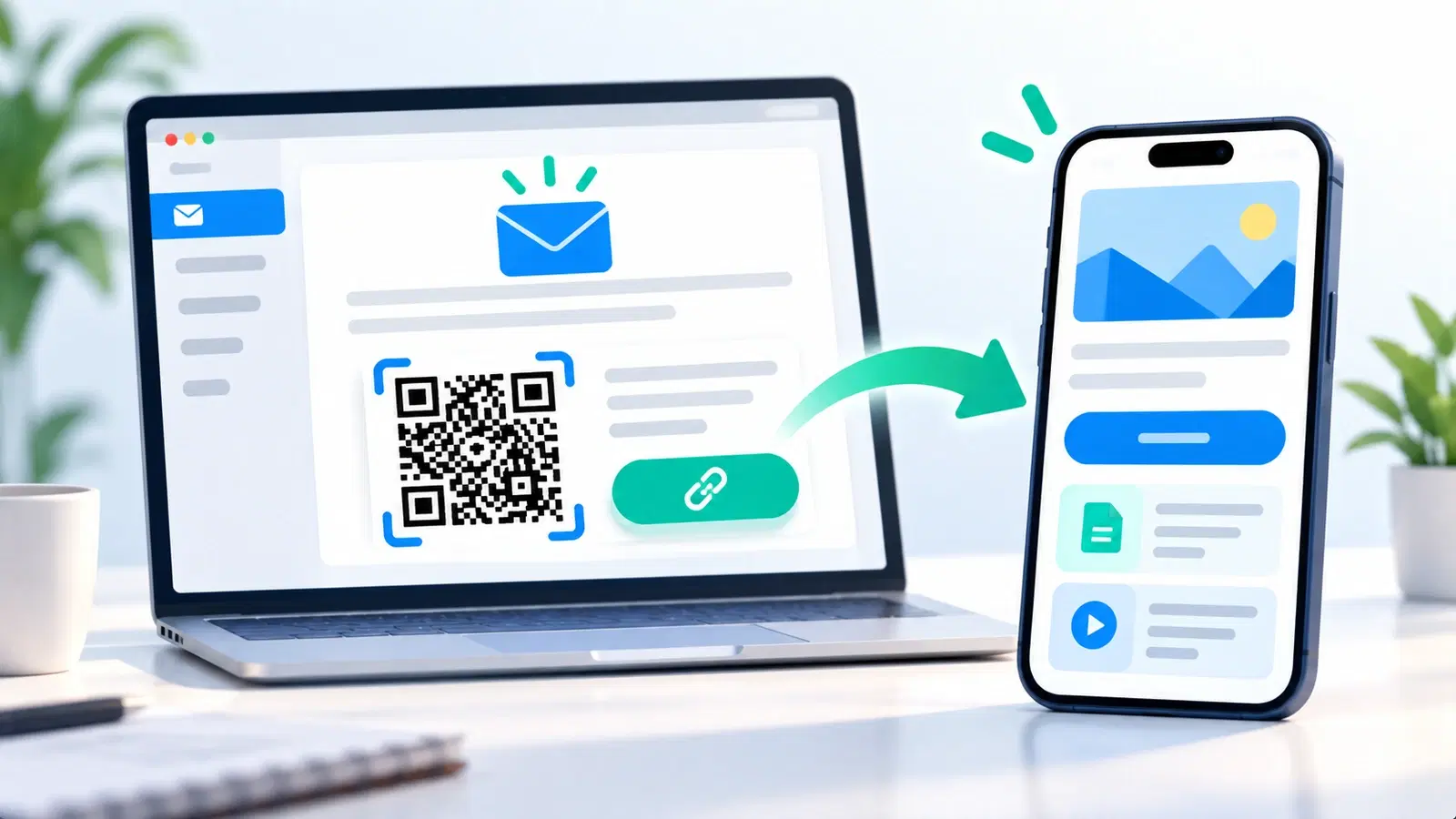
Putting a QR code in a marketing email seems to make no sense at first. The whole point of a QR code is to bridge the physical world to the digital one, and an email reader is already in the digital world, on a device where they can simply tap a link. So why would you ever make them scan instead of click? It is a fair objection, and for most email content, a plain link is indeed the right choice.
But "most" is not "all." In specific, genuinely useful situations, a QR code in an email earns its place, primarily when you want to move the action from the device reading the email to a different device, usually the reader's phone. Understanding those situations is the difference between a QR code that helps and one that just adds friction.
This guide answers the real question honestly: do QR codes work in email marketing? We cover when they genuinely help, when a link is better, and how to use them well. It is a marketing-email question distinct from putting a code in your email signature, which is a different use; here we focus on QR codes inside marketing emails and newsletters.
The Honest Objection: Why Not Just Use a Link?
Let us start with the strongest argument against QR codes in email, because respecting it is how you use them well.
The reader can already click. An email is read on a device, phone, tablet, or computer, that can open a link with a tap or click. A QR code asks the reader to do more work: get a second device (or awkwardly scan the screen), aim the camera, and scan. For simply getting someone to a page, a link is easier and better, every time. Making people scan when they could click is friction for no reason.
So the default in email is a link. For the vast majority of email content, a call-to-action button or text link is the right choice. If your goal is "click through to this page," use a link. A QR code there would reduce clicks, not increase them.
The one thing a link cannot do: A link opens on the same device the email is being read on. It cannot easily move the reader to a different device. And that, moving the action to another device, usually the phone, is the one thing a QR code does that a link cannot. This is the entire basis for when QR codes help in email: not to replace clicking, but to bridge devices.
The rule that follows: Use a QR code in an email only when you specifically want the reader to continue on a different device (typically their phone), or when the email will predictably be viewed on a big screen and acted on with a phone. Everywhere else, use a link. Keep this rule in mind and every decision about QR-in-email becomes clear.
When QR Codes in Email Genuinely Help
With the device-bridging principle established, here are the specific situations where a QR code in an email is genuinely useful, often more useful than a link.
1. Desktop email, phone action. When someone reads your email on a desktop or laptop but the action is best done on their phone, a QR code bridges the gap. Classic cases: a coupon or ticket they need on their phone in a store, a code to add something to a phone wallet, or an app-related action. Rather than emailing themselves or fumbling, they scan the screen with their phone and continue there. This is the single most valuable QR-in-email use.
2. Something to bring to the physical world. If the email contains something the reader will use in person, a discount to redeem in-store, an event ticket, a membership code, a QR code is the natural format, because they will present it on their phone at the physical location. Delivering it as a scannable code (that lives on their phone once scanned or saved) fits how it will actually be used. See QR code payment and redemption flows.
3. Emails that get printed. Some emails, receipts, confirmations, itineraries, event details, get printed. A QR code in that email remains scannable on paper, giving the printed version a live link back to digital. A text link on paper is useless; a QR code is not.
4. Bridging to an app or mobile-only experience. If the desired next step is a mobile app or a mobile-specific experience, a QR code moves a desktop reader to their phone to continue. This is cleaner than hoping they navigate there manually.
The common thread: In every case, the QR code exists to move the action to the phone or the physical world, not to replace a simple click. When that device-bridge is the goal, the QR code genuinely helps. When it is not, use a link.
- Desktop-read email, but the action belongs on the phone (coupons, tickets, wallet)
- Something to redeem in person (in-store discount, event ticket, membership)
- Emails that are likely to be printed (a scannable link survives on paper)
- Bridging a desktop reader into a mobile app or mobile-only experience
- The common thread: move the action to the phone or physical world
How to Use QR Codes in Email Well
When you do use a QR code in an email, a few practices make it effective rather than confusing.
Offer both a QR code and a link. Since the email is read on a device, the best practice is usually to include both: a QR code for those who want to continue on their phone, and a tappable link/button for those reading on the phone already (who cannot easily scan their own screen). This covers everyone, mobile readers tap, desktop readers scan. Never force a mobile reader to scan the screen they are holding.
Explain why to scan. Tell the reader what the code is for and why they would scan it: "Scan with your phone to save this coupon" or "Scan to open on your phone." A clear instruction removes confusion about an unexpected code in an email. See calls to action.
Make the code big and clear enough to scan on screen. If people will scan it off a screen with another phone, it needs to be large and high-contrast enough to scan that way. A tiny code buried in an email footer will not scan. Follow the size and contrast basics.
Use dynamic codes so you can track and edit. A dynamic code lets you measure how many people actually scanned from the email (versus clicked the link), and change the destination if needed. This tells you whether the QR code is pulling its weight. See what analytics can track.
Make the destination mobile-perfect. Since a scan lands on a phone, the destination must be excellent on mobile, even more than usual. See landing page best practices.
Test across email clients. Emails render differently across clients and devices; confirm your code displays clearly and scannably in the major ones before sending.
Pro Tip
In a marketing email, almost always include both a QR code and a tappable link to the same destination. The reader on a phone taps the link (they cannot scan their own screen); the reader on a desktop scans the code with their phone. Offering only a QR code frustrates your mobile readers, who are often the majority.
The Honest Verdict
So, do QR codes work in email marketing? The honest answer is: yes, in the right situations, and not in most others.
They work when the goal is a device bridge. When you specifically want to move the reader from the device they are reading on (often a desktop) to their phone or the physical world, a coupon for in-store use, a ticket, a wallet pass, an app hand-off, a printed email, QR codes genuinely help, doing something a link cannot.
They do not help when a link would do. For the common case of "click through to read or buy," a QR code is worse than a link: it adds friction and, for mobile readers, is unusable on their own screen. Do not sprinkle QR codes into emails as a novelty; they will hurt, not help.
The practical rule, one more time: Ask: do I want the reader to continue on a different device or in the physical world? If yes, a QR code (alongside a link) is a genuine tool. If no, just use a link. That one question settles nearly every case.
Measure to be sure. Because you can track dynamic codes, you do not have to guess. If you use a QR code in an email, measure whether people actually scan it. Let the data tell you whether it earned its place, and drop it where it did not. See campaign metrics that matter.
The bottom line: QR codes in email marketing are a targeted tool, not a default. Used where the goal is genuinely to bridge to the phone or the physical world, and paired with a link so no reader is stuck, they work well. Used everywhere as decoration, they add friction. Match the tool to the job, and QR-in-email becomes a small but real asset in your marketing.
Conclusion
Do QR codes work in email marketing? Yes, but only in the right situations, and not as a default. The honest objection is valid: an email reader can already click, so for the common goal of "click through to a page," a plain link beats a QR code every time, and forcing a mobile reader to scan their own screen is pure friction.
Where QR codes genuinely earn their place is the one thing a link cannot do: bridge the reader to a different device or the physical world. When someone reads on a desktop but the action belongs on their phone, a coupon, ticket, wallet pass, or app hand-off, or when the email will be printed, or redeemed in person, a QR code is the right format. The common thread is always moving the action to the phone or the physical world.
When you use one, pair it with a tappable link so no reader is stuck, explain why to scan, make it big and high-contrast, use a dynamic code so you can measure and edit, and ensure a mobile-perfect destination. Then let the scan data confirm it earned its place. Matched to the job, QR codes in email are a small but real asset; sprinkled in as novelty, they only add friction.
Related reading:
Create trackable QR codes for your emails with QRForever. Start a 7-day full-access trial, no credit card needed. Measure whether your email QR codes actually get scanned.
Explore QRForever Solutions
Ready to Create Your Own QR Codes?
Start creating dynamic QR codes for your business today. Track analytics, update content anytime, and never reprint again.
Related Articles
QR Code Marketing Strategy: 15 Campaign Types That Work in 2026
A practical QR code marketing playbook: 15 campaign types with real examples, a channel-by-channel breakdown, attribution setup, and the mistakes that quietly waste budget. Updated June 2026.
How to Create a QR Code for Google Reviews: Get More 5-Star Reviews in 2026
A Google Review QR code sends customers straight to your review page, no searching, no friction. Learn how to set it up, where to place it, and how businesses 3x their review count.
How to Create a QR Code for Your Instagram & Social Media Profiles in 2026
Link your Instagram, Facebook, YouTube, or any social profile to a QR code. Perfect for offline promotions, packaging, and events. Includes Linktree alternatives and multi-link setups.