QR Codes for Veterinary Clinics: Pet Records, Booking & Reminders (2026)
Vet clinics juggle patient records, vaccination schedules, post-treatment instructions, and reminder calls. QR codes simplify all four, and dramatically reduce the "did you give Max his pill?" follow-up calls. Here's the 2026 setup guide.

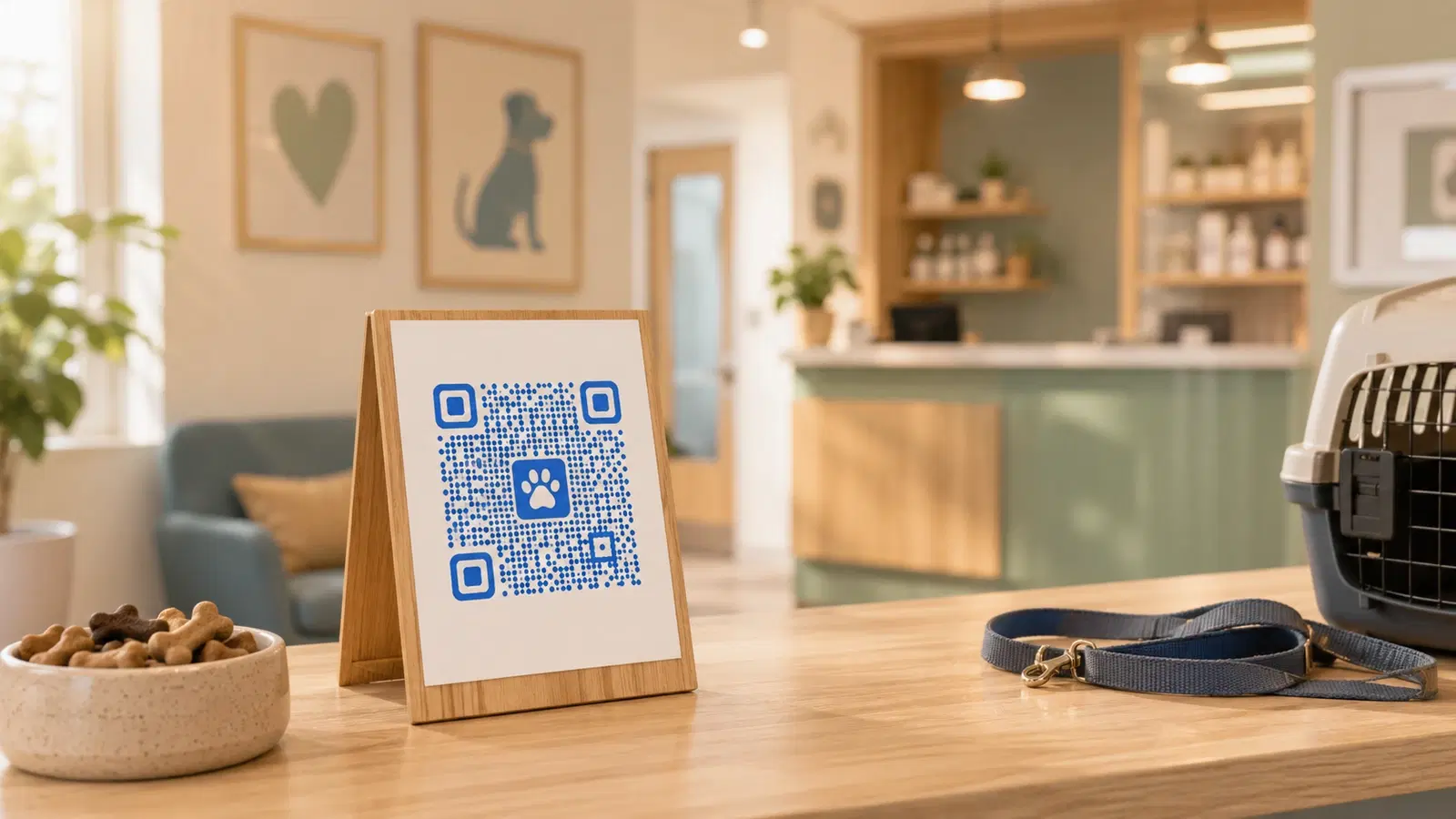
Veterinary clinics operate at the intersection of medical practice and pet-owner relationships. The clinical needs (records, vaccinations, prescriptions) sit alongside the emotional reality that pet owners forget half of what they're told during stressful vet visits.
QR codes (used thoughtfully), solve concrete problems in vet clinics: pet records owners can access anywhere, booking that doesn't require a phone call, vaccination reminders that actually drive return visits, and post-treatment instructions owners can re-read at home.
This guide is built around the vet clinic workflow specifically (from first appointment through recall), with concrete setup steps for each use case.
Use Case 1: Digital Pet Records QR Code
Pet owners often have multiple vets (regular vet + emergency clinic + boarding facility) and travel with their pets. A QR code that gives them quick access to their pet's vaccination records and medical history is genuinely useful, and reduces requests for paper records to be sent.
Setup options:
Option A: Your practice management system has a pet portal. Systems like ezyVet, Cornerstone, AVImark, and Provet Cloud increasingly offer pet-owner portals where owners log in to see their pet's records. Create a dynamic QR code pointing to the portal login. Print it on the printed welcome packet, or as a small sticker for the pet's carrier/collar tag.
Option B: Generated vaccination record QR. For each annual vaccination visit, generate a printable summary (vaccines given, due dates) and host it at a private URL. Create a QR code that links to it. Owner can show this at any boarding facility, groomer, or new vet, no fumbling with paperwork.
Option C: Owner-facing pet ID card with QR code. Print a small wallet-sized card for each pet with the pet's name, your clinic's contact info, and a QR code linking to records or to your clinic's emergency contact page. Owners keep it in their wallet or attached to the carrier.
Why dynamic codes matter here: If you switch practice management software, the portal URL changes. A dynamic QR code lets you redirect every previously-printed ID card without recalling them. See QR codes that never expire.
Privacy considerations: Pet records contain owner contact information. The destination URL should require authentication, the QR code itself shouldn't reveal pet-specific data. A safer pattern: QR code goes to a login page; owner authenticates; sees their specific pet's records. Never put pet records on a publicly-guessable URL.
Pro Tip
For boarding facilities, groomers, and pet sitters who routinely need vaccination proof, a QR code on the pet's collar tag or carrier is invaluable. It eliminates the "can you email me the records?" message at 8 PM on a Friday.
Use Case 2: Appointment Booking QR Code
Vet appointment booking by phone is a constant interruption, and pet owners frequently call during business hours specifically to find out you're closed for lunch. A QR code routing to online booking lets owners book on their own time.
Setup: 1. Use your practice management system's online booking (if available) or a standalone tool (Calendly, Vetstoria, Daysmart Vet) 2. Get the public booking URL 3. Create a dynamic QR code 4. Place it on multiple touchpoints: receipts, business cards, reminder postcards, your website
Where the QR code goes:
- Reception desk
- On every receipt
- On the back of business cards
- Printed on vaccination reminder postcards
- On the appointment-card-style refrigerator magnets some clinics distribute
Specific use cases this enables:
- Owner realizes at 10 PM they need to book a check-up; books immediately on their phone
- Reminder postcard arrives; owner scans QR and books the recommended check-up without calling
- New customer searches for a vet, lands on your Google listing, scans the booking QR from your storefront photos
The biggest gain: Vet phone lines are notorious for being busy. Every booking made via QR is one fewer phone call your reception staff has to handle. Freeing them up for in-clinic patient flow.
For broader appointment booking setup, see QR code for appointment booking.
Use Case 3: Vaccination & Recall Reminder QR Codes
Vet clinics live on recall: annual check-ups, vaccination boosters, dental cleanings. Owners genuinely intend to bring their pet back; they just forget.
The traditional approach: Reminder postcards with a phone number. Owner has to call during business hours to book. Many don't.
The QR code approach: Reminder postcards with a QR code that goes directly to the booking page, pre-filtered for the recommended appointment type.
Setup: 1. For each recall type (annual exam, rabies booster, dental cleaning), create a dynamic QR code 2. Each QR code points to your booking page, ideally pre-filtered for that visit type 3. Print on the appropriate reminder mailers
Why this works:
- Owner can book at any hour
- "Pre-filtered" booking means owner doesn't have to navigate the booking system, the right appointment type is already selected
- You can track which reminder types generate the most bookings (analytics per QR code)
Bonus: SMS reminders. Many clinics use SMS for vaccination reminders. A short link in the SMS works better than QR for SMS-delivered reminders (you can't scan a QR on the phone receiving it). But you can include both. Link in SMS, QR on follow-up postcard if no response.
Tracking that pays back: If your "annual exam" reminder QR gets 40% scan-to-book conversion and your "dental cleaning" QR gets 8%, that's diagnostic. Owners aren't convinced about dental yet. Use that data to refine the messaging on the dental reminder card.
For analytics setup, see how to track QR code scans without an app.
Use Case 4: Post-Treatment & Aftercare QR Codes
Pet owners receive aftercare instructions during stressful moments: after a surgery, after their pet's diagnosis, during medication pickup. Half the instructions are forgotten by the time they get home.
A QR code on the discharge paperwork or medication packaging that links to a video or detailed instructions makes the difference between "the owner gave the medication correctly" and a follow-up emergency visit.
Setup: 1. Create a short aftercare page per common procedure (spay/neuter, dental extraction, ear infection, etc.) 2. Each page includes: - Medication schedule (with checkboxes the owner can mentally tick) - Warning signs to call about - Activity restrictions (no jumping, no swimming, etc.) - When the next vet visit is due 3. Generate a dynamic QR code per procedure type 4. Print on the discharge paperwork
A high-impact addition: A 60-second video showing how to give pills to dogs/cats. A QR code on the pill bottle that links to this video has dramatic impact on medication compliance, and reduces the "they're spitting it out, what do I do?" calls.
For complex cases. Personalized aftercare: For surgeries or complex diagnoses, send a personalized aftercare email after the visit with a unique QR code linking to that pet's specific instructions. More work, but appropriate for serious cases.
Why dynamic codes are essential: You'll update aftercare instructions as protocols evolve. Static codes lock you to the original page; dynamic codes let you update one URL and every printed discharge document points to the latest version automatically.
Important
For prescription medications, the aftercare QR code should NEVER replace the legally-required printed label. Use QR codes as supplementary information: the legal labeling requirements still apply.
Bonus Use Cases for Vet Clinics
Beyond the four core use cases, these add real value:
Pet adoption / rehoming QR code: If your clinic helps with adoptions or fostering, a QR code on the front window or waiting area linking to current adoptable pets. Higher engagement than a printed photo board.
Emergency contact QR code: A QR code on the front door (visible after-hours) linking to your emergency contact page: which 24-hour clinic to go to, your emergency line, etc. Saves panic in the moment.
Prescription refill QR code: On the bottle or paperwork, a QR code linking to a refill request form. Owner scans, fills out, your staff sees the request next morning.
Pet behavior / training resources QR code: A QR code in the exam room linking to your recommended training resources, behaviorist contacts, or product list. Useful for new puppy/kitten owners who are overwhelmed.
Boarding / grooming sign-up QR code: If you offer boarding or have an in-house groomer, a QR code linking to booking. Captures the "I should book grooming for next month" intent before they leave.
Pet insurance information QR code: A QR code on the waiting room wall linking to a guide on pet insurance options. Useful for new pet owners who haven't considered insurance.
Memorial / loss support QR code: A discreet QR code provided to owners who have lost a pet, linking to grief support resources, memorial product recommendations, and rainbow bridge content. Small touch, deeply appreciated.
For nonprofits and rescue groups working with vet clinics, see QR codes for nonprofits.
Conclusion
For veterinary clinics, the highest-impact QR code use cases are pet records access, online booking, recall reminders that route to booking, and post-treatment aftercare instructions. Each one converts a moment of friction into a 30-second scan.
The clinical and emotional realities of vet practice make QR codes especially valuable here. Pet owners forget instructions during stressful visits, miss vaccination boosters when life gets busy, and need records at odd hours. A scan-and-it's-there interface meets them where they are: late at night, at the boarding facility, in the moment they need it.
Set up the four core use cases first; add the bonus ones as you have time. All should be dynamic codes (so URL changes don't break printed materials), all should land on mobile-optimized pages (most owners scan from their phone), and all should be monitored via analytics so you know which are working.
Related reading:
Create your vet clinic's first QR code with QRForever. Start a 7-day full-access trial, no credit card. Dynamic codes are editable anytime with full scan analytics, ideal for your highest-value use case (typically online booking or aftercare instructions).
Explore QRForever Solutions
Ready to Create Your Own QR Codes?
Start creating dynamic QR codes for your business today. Track analytics, update content anytime, and never reprint again.
Related Articles
QR Code Menus for Restaurants: The Complete Setup Guide (Updated 2026)
Step-by-step guide to implementing QR code menus in your restaurant. Covers menu format options, placement strategy, staff training, and the one mistake that causes reprints. Updated May 2026.

QR Codes for Events: Conferences, Trade Shows & Beyond (Updated 2026)
QR codes turn events from logistical pain into smooth data-rich experiences: instant check-in, smart networking, lead capture for exhibitors, and post-event ROI you can actually prove. Updated May 2026 with the current best practices.
QR Codes on Product Packaging: Engaging Consumers Beyond the Shelf (Updated 2026)
Product packaging is your most-distributed marketing surface. Every unit on every shelf, in every home. QR codes turn that surface into a measurable, updatable channel for engagement, loyalty, and product education. Updated September 2026.