QR Codes for Property Managers: Tenant Forms, Maintenance & Lease Renewals (2026)
Property managers juggle tenant communication, maintenance requests, lease renewals, and building information across multiple properties. QR codes streamline every tenant touchpoint. Here's the 2026 implementation guide for property management.

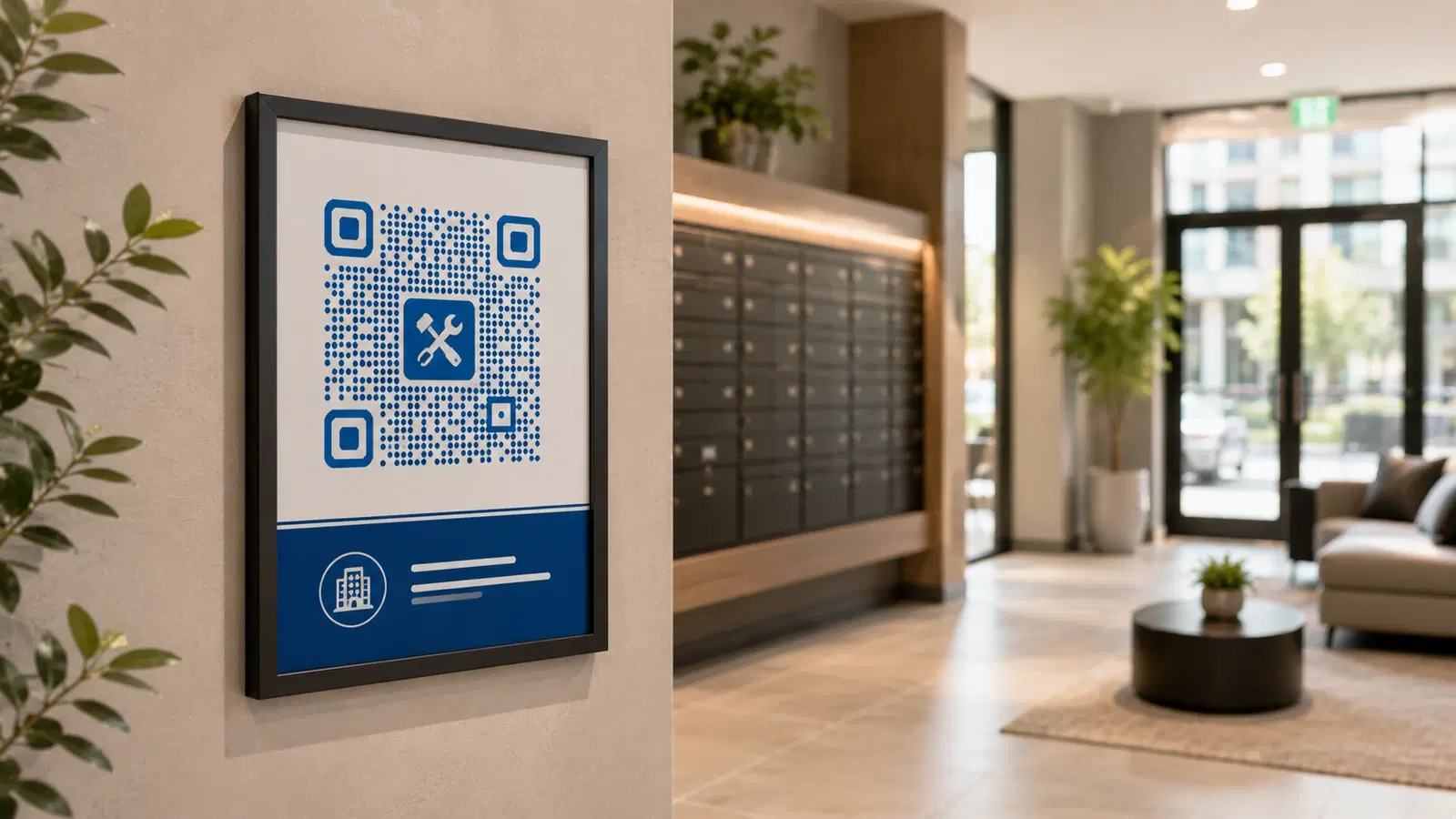
Property management is a communication-heavy business spread across multiple locations. Maintenance requests come by phone at inconvenient times, tenant onboarding involves stacks of paperwork, building information needs to reach residents who never read posted notices, and lease renewals require chasing.
QR codes give property managers a way to put every tenant touchpoint one scan away: placed physically in the building where tenants already are, accessible from their phones, and routed to the right system automatically.
This guide covers the QR code use cases that genuinely reduce a property manager's workload and improve tenant experience: maintenance requests, onboarding, building information, lease management, and communication.
Use Case 1: Maintenance Request QR Codes
Maintenance requests are the single biggest communication channel in property management, and phone-based requests are the least efficient. A tenant calls, often after hours, the manager plays phone tag, details get lost, and there's no clean record.
The QR code solution:
A QR code posted in common areas (lobby, laundry room, elevator, mailroom) and in each unit (inside a kitchen cabinet, on the fridge) links to a maintenance request form.
What the form captures:
- Unit number
- Issue description
- Photos of the problem (huge, a photo of the leak beats a verbal description)
- Urgency level
- Best time for access
- Contact preference
Why this transforms maintenance management:
- Requests come in structured and complete: no missing details, no phone tag
- Photos included, the manager and contractor see the problem before arriving
- Timestamped records. Clean audit trail of when issues were reported and resolved
- 24/7 submission. Tenants report issues when they notice them, not when the office is open
- Routes automatically, to the right contractor or the manager's queue
Setup: 1. Build a maintenance request form (property management software like AppFolio, Buildium, Yardi often has this; or use JotForm/Google Forms) 2. Create a dynamic QR code (or per-building codes that pre-fill the property) 3. Post durable QR codes in common areas AND provide a sticker for inside each unit
The inside-the-unit placement is key: A QR code sticker inside a kitchen cabinet door or on the fridge means tenants report issues the moment they happen, with the QR code right there. Far higher submission rate than expecting them to find a posted notice.
Use a dynamic code so you can update the form or switch systems without re-stickering every unit. See how to edit a QR code after printing.
Pro Tip
Provide every tenant a small QR code sticker (for maintenance requests) to place inside a kitchen cabinet at move-in. Tenants who have the QR code physically present at the point-of-problem report issues 3-4x more reliably than those who must hunt for a phone number or posted notice.
Use Case 2: Tenant Onboarding & Move-In
Tenant onboarding involves a mountain of paperwork and information: lease documents, building rules, utility setup, amenity access, emergency contacts, parking, trash schedules. Delivered as a paper packet, most of it is lost or unread within a week.
The QR code solution:
A QR code in the welcome packet (and posted in the unit) links to a digital tenant onboarding hub with everything in one place.
What the onboarding hub contains:
- Digital copy of the lease
- Building rules and policies
- How to set up utilities
- Trash/recycling schedule and locations
- Amenity access and booking (gym, laundry, common rooms)
- Parking information
- Emergency contacts and procedures
- How to submit maintenance requests (link to that QR/form)
- Local area guide (nearby services, transit)
Why this beats a paper welcome packet:
- Always accessible: tenant refers back anytime from their phone, doesn't lose it
- Always current: update building info once; every tenant sees the latest
- Comprehensive: far more info than a paper packet, organized and searchable
- Reduces repetitive questions. "when is trash day?" is answered by the hub, not a call to the office
Setup: 1. Build a tenant info page/hub (a simple website section, a Notion page, or property management portal) 2. Create a dynamic QR code 3. Include it in the welcome packet and post it in the unit (e.g., inside a closet door)
For broader onboarding-style document delivery, see how this parallels QR codes for schools' parent communication.
Use Case 3: Building Information & Notices
Getting information to all residents reliably is a perennial property management challenge. Posted notices get ignored. Emails go unread. Important updates don't reach everyone.
The QR code solution:
QR codes in common areas linking to a building information hub and current notices.
Use cases:
Building notice board QR code: A QR code on the physical notice board: "Scan for all current building notices." Residents who glance at the board can get the full, current details on their phone.
Amenity information QR codes:
- Laundry room: QR code linking to machine status, payment setup, hours
- Gym: QR code linking to hours, rules, equipment guides, booking
- Package room: QR code linking to package pickup procedures
- Common rooms: QR code for booking and rules
Parking & access QR codes: QR codes at parking areas and entrances linking to parking rules, visitor parking registration, and access procedures.
Why dynamic QR codes are ideal: Building information changes: new policies, updated hours, maintenance schedules, amenity changes. A dynamic QR code on permanent signage always reflects the current information. Post the QR code once; update the destination content as things change.
Emergency information QR code: A QR code at building entrances linking to emergency procedures, evacuation routes, and emergency contacts. Accessible to residents, visitors, and emergency responders.
For multilingual buildings, the destination can offer language options, valuable for diverse residential communities. See accessible QR codes guide.
- Notice board QR: full current notices on residents' phones
- Per-amenity QR codes: laundry, gym, package room, common rooms
- Parking & visitor registration QR codes
- Emergency procedures QR at building entrances
- All dynamic: update content without re-printing signage
Use Case 4: Lease Renewals & Rent Payment
Lease renewals require chasing tenants, and rent payment friction leads to late payments. QR codes streamline both.
Lease renewal QR codes:
When renewal time approaches, a QR code on the renewal notice (posted on the door or mailed) links directly to the renewal process: review terms, sign digitally, done.
Why this improves renewal rates:
- Tenant can renew immediately when they get the notice, not "later" (which becomes never)
- Digital signing removes the office-visit friction
- The manager tracks who's renewed and who needs follow-up in a dashboard
Rent payment QR codes:
A QR code linking to the payment portal, posted in the unit and on payment reminders.
Why this reduces late payments:
- Tenant pays from their phone the moment they think of it
- No "I'll do it when I get to my computer" delay
- Recurring payment setup is one scan away
Setup:
- Most property management platforms (AppFolio, Buildium, RentCafe, etc.) have renewal and payment portals. Link dynamic QR codes to them
- Post payment QR codes in units and include on all payment communications
The combined effect: Removing friction from both renewals and payments directly affects a property manager's two biggest financial metrics: retention (renewal rate) and cash flow (on-time payment). A QR code that makes renewing or paying a 30-second phone task measurably improves both.
For payment-related QR context, see QR code payment systems explained.
Bonus Use Cases & Implementation Notes
Additional property management QR use cases:
Vacant unit / showing QR codes: On "For Rent" signs and in vacant units, a QR code linking to the listing, application, and self-scheduling for viewings. Captures prospect leads 24/7. This parallels real estate agent lead capture.
Community / resident portal QR code: A QR code linking to the resident community portal (events, forums, announcements), building community and engagement.
Move-out / inspection QR code: A QR code linking to move-out procedures, the inspection checklist, and deposit return process.
Vendor / contractor check-in QR code: A QR code for contractors to check in when arriving for maintenance, logging their visit for security and records.
Feedback / satisfaction QR code: A QR code for tenant satisfaction surveys. Catch issues before they drive move-outs or bad reviews. See QR code for customer feedback.
Implementation notes for property management:
Multi-property scaling: If you manage multiple buildings, use per-building QR codes that pre-fill the property/unit context, so requests route correctly. A platform built for teams (like QRForever's Business tier) is cost-effective at scale.
Durability: Common-area QR codes need to survive daily use. Use laminated or rigid signage, not paper.
Privacy: Tenant-specific information (their lease, their data) must require authentication. Generic info (building rules, trash schedule) can be public. Never put tenant-specific data on a publicly-guessable URL.
The economics: For a property manager, every phone call avoided, every maintenance request that arrives complete, and every renewal/payment friction removed is real time and money saved across dozens or hundreds of units. QR codes scale this efficiency across your entire portfolio.
For managing QR codes at portfolio scale, see best QR code generator for small businesses.
Conclusion
For property managers, QR codes attack the core inefficiency of the business: communication friction spread across multiple properties and many tenants. Maintenance requests arrive complete and timestamped instead of as chaotic phone calls. Tenant onboarding lives in an always-current digital hub instead of a lost paper packet. Building information reaches residents on their phones. Lease renewals and rent payments become 30-second phone tasks.
The highest-impact starting point is almost always the maintenance request QR code. Placed inside each unit so tenants report issues at the point of problem. From there, expand to onboarding, building info, and lease/payment use cases.
Use dynamic QR codes throughout (so content and systems can change without re-stickering units), use per-building codes for correct routing at scale, and keep tenant-specific data behind authentication. Done right, QR codes let a property manager handle a larger portfolio with less administrative overhead and happier tenants.
Related reading:
Create your property management QR codes with QRForever. Start a 7-day full-access trial, no credit card. Dynamic codes are editable anytime with full scan analytics. Start with the maintenance request QR: the highest-impact use case for any property manager.
Explore QRForever Solutions
Ready to Create Your Own QR Codes?
Start creating dynamic QR codes for your business today. Track analytics, update content anytime, and never reprint again.
Related Articles
QR Code Menus for Restaurants: The Complete Setup Guide (Updated 2026)
Step-by-step guide to implementing QR code menus in your restaurant. Covers menu format options, placement strategy, staff training, and the one mistake that causes reprints. Updated May 2026.
QR Codes for Events: Conferences, Trade Shows & Beyond (Updated 2026)
QR codes turn events from logistical pain into smooth data-rich experiences: instant check-in, smart networking, lead capture for exhibitors, and post-event ROI you can actually prove. Updated May 2026 with the current best practices.
QR Codes on Product Packaging: Engaging Consumers Beyond the Shelf (Updated 2026)
Product packaging is your most-distributed marketing surface. Every unit on every shelf, in every home. QR codes turn that surface into a measurable, updatable channel for engagement, loyalty, and product education. Updated September 2026.