QR Codes for Schools: Permission Slips, Newsletters & Parent Communication (2026)
Schools drown in paperwork: permission slips, newsletters, fundraisers, event RSVPs. QR codes route every parent communication to where parents actually engage: their phones. Here's the 2026 implementation guide for schools. Updated September 2026.

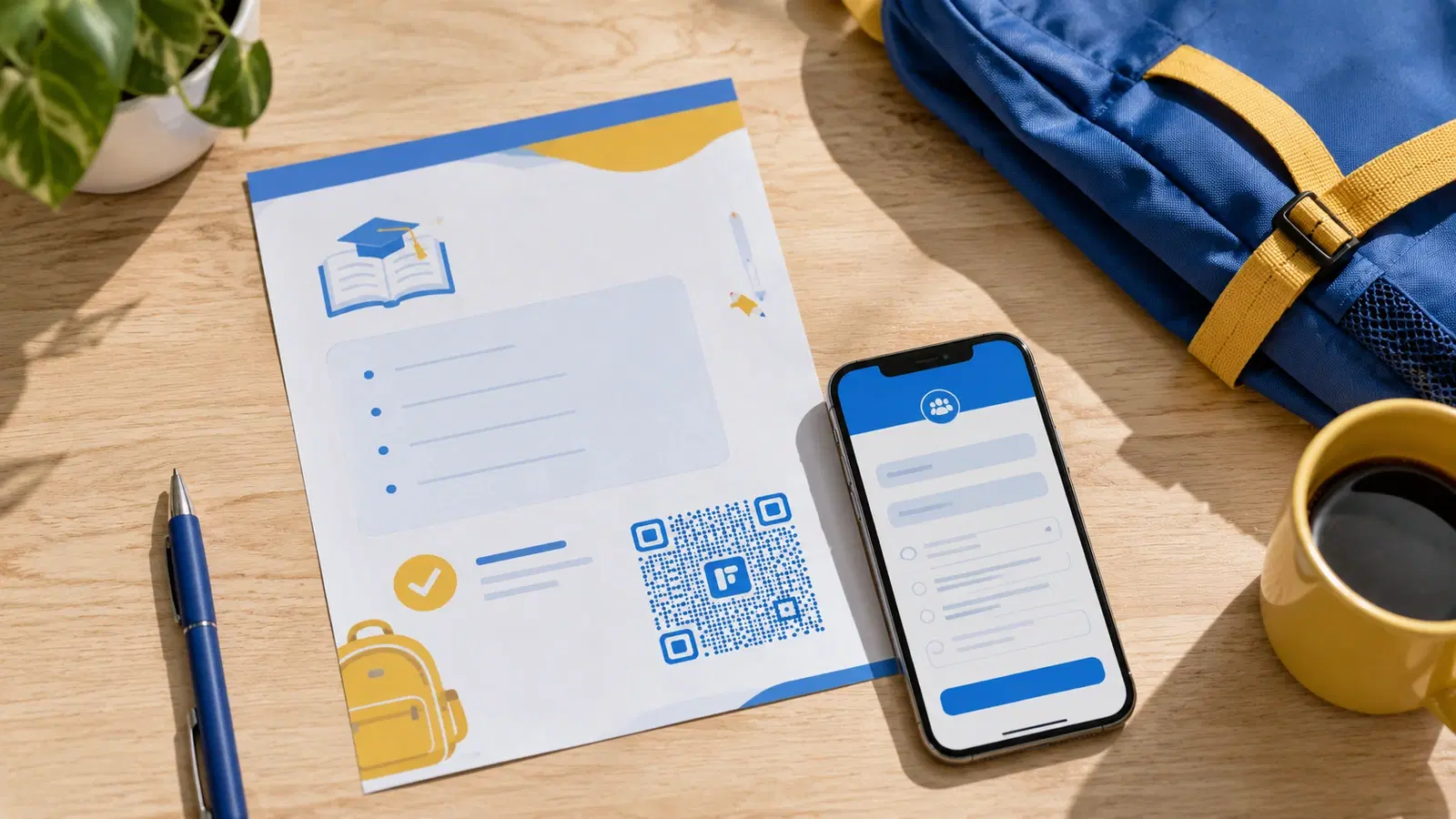
Schools generate enormous amounts of paper communication: permission slips, weekly newsletters, fundraising flyers, event invitations, school supply lists. Most of it goes home in a backpack and never comes back signed.
QR codes don't replace school communication. They make it more likely to reach parents on the device they actually use. A permission slip with a QR code linking to a digital sign-and-submit form is 3–4x more likely to be completed than a paper slip waiting to be remembered, signed, returned, and lost.
This guide is built for school administrators, PTA leaders, and class teachers, with practical setup steps for the highest-impact QR code use cases. It's a companion piece to our QR codes in education guide, which focuses on classroom use; this one focuses on administration and parent communication.
Use Case 1: Digital Permission Slips
Field trip permission slips are the canonical school paperwork problem. Teacher hands them out. Half come back. Teacher follows up. Some come back unsigned. Office staff chases late ones. By the day of the trip, the teacher is still verifying.
The QR code solution:
A QR code on the trip information sheet links to a digital permission form (Google Form, JotForm, or your school's PMS form). Parents scan, fill out on their phone, submit. Office staff sees submissions in a single spreadsheet.
Setup: 1. Build the permission form in your school's preferred tool (Google Forms, Microsoft Forms, JotForm, or your school information system) 2. The form collects: student name, parent name, emergency contact, medical notes, digital signature/checkbox of consent 3. Create a dynamic QR code pointing to the form 4. Print on the printed trip flyer that still goes home
Important. Also keep the paper option: Not all families have smartphones or internet access. The QR code should supplement, not replace, paper permission slips. The flyer says: "Sign and return, OR scan this QR to submit digitally."
Why this dramatically increases completion:
- Parent scans the QR code immediately when child shows them the flyer
- No "I'll do it later". It's done in 30 seconds
- No lost paper to find
- Office can email reminders to non-responders via the form data
A common pitfall: Many schools generate one QR code per trip. Better: generate one dynamic QR code per *type* of permission slip (field trip, photo release, pickup authorization) and reuse it. When you have a new trip, update the form destination, the QR code stays the same. See how to edit a QR code after printing.
Pro Tip
For schools that send 20+ permission slip events per year, a single reusable "field trip permission" QR code printed on a school information sheet at the start of the year is more efficient than per-event QR codes. Update the destination form each time.
Use Case 2: School Newsletter QR Codes
The weekly school newsletter (historically a paper sheet sent home), increasingly exists in two formats: a printed version (for families without easy digital access) and a digital version (for everyone else). QR codes bridge the two.
Setup options:
Option A: Paper newsletter with "read more" QR codes. The printed newsletter has the most important items in print, plus QR codes that link to fuller content: "See full photo gallery from sports day → scan here," "Read the principal's full message → scan here." Keeps the print piece short while letting parents go deeper.
Option B. All-digital newsletter, QR for access. A short paper notice goes home with a QR code: "Scan to read this week's newsletter." Saves printing costs. Works for schools where most families have smartphone access.
Option C. Hybrid weekly mailer. A small physical card sent home each week with one important update plus a QR code linking to that week's full digital newsletter. Frequent, lightweight, high engagement.
Critical setup detail: Use ONE dynamic QR code for "this week's newsletter" and update its destination weekly. Don't create a new QR code each week. That requires reprinting. With a dynamic code, the same physical "Scan for newsletter" sign in classrooms and on bulletin boards always points to the current week's newsletter.
Where the newsletter QR code goes:
- Classroom doors
- Notice board outside the school office
- Parent pickup area
- Embedded in event flyers (so parents can subscribe after attending an event)
- Printed on a magnet or fridge card given to all families
Use Case 3: Event RSVPs & Fundraising
Schools run constant events: open houses, parent-teacher conferences, fundraisers, performances, sports days. Each one needs RSVPs or sign-ups, and paper sign-up sheets are inefficient and lose track.
QR codes for event RSVP:
For each major event, create a dynamic QR code linking to an RSVP form (Google Form, Eventbrite, or your school's event system). Print the QR code on event invitations and post it on bulletin boards.
What the form captures:
- Family name
- Number attending
- Dietary restrictions (for events with food)
- Volunteer interest (for events needing parent help)
Why this beats paper sign-up sheets:
- No lost sign-up sheets
- Real-time visibility into RSVPs
- Easy to send email reminders to non-RSVPers
- Volunteer matching happens automatically
Fundraiser QR codes:
For fundraisers (school auction, walkathon pledges, candy sales), a QR code linking to a donation page is dramatically more effective than passing around envelopes.
Setup: 1. Use a school-friendly donation platform (GiveButter, Donorbox, or your school's PMS donation feature) 2. Create a dynamic QR code per fundraiser 3. Print on event flyers, athletic uniforms (for sponsored events), and parent emails 4. Track per-event QR scan + donation conversion
The biggest win: Grandparents and extended family who aren't physically present at the event can donate from anywhere when parents share a QR code via text. A printed envelope reaches one person; a shared QR code reaches the family network.
For broader nonprofit/fundraising patterns, see QR codes for nonprofits.
- Event RSVP QR codes: replace paper sign-up sheets
- Fundraiser donation QR: captures extended family donors
- Volunteer sign-up QR: paired with RSVP form for events needing parent help
- Auction bidding QR: links to the school auction platform during the event
- Walkathon pledge QR: printed on student t-shirts for sponsored events
Use Case 4: Parent-Teacher Conference & Communication
Parent-teacher conferences are scheduling nightmares. Teachers send home sign-up sheets, parents miss them, slots get double-booked, last-minute changes happen.
The QR code solution:
A QR code linking to a scheduling tool (Calendly for individual teachers, SignUpGenius for whole-school events, or your school's PMS scheduling).
Setup for a school-wide conference week: 1. Use a scheduling tool that supports multiple teachers 2. Each teacher sets their available slots 3. Parents scan the QR code, select their child's teacher, pick a slot 4. Automatic confirmation emails sent 5. Reschedules handled by the system
Setup for ongoing teacher-parent communication: Each teacher can have their own QR code linking to their preferred contact method: a Calendly for office-hours appointments, a class blog, or a parent-communication app like ClassDojo.
Why this matters: Working parents often miss conferences because they can't sign up during the small window when paper sheets are sent home. A QR code accessible 24/7 turns "I forgot to sign up by Friday" into "I just booked it from my desk at lunch."
Bonus. Translation support: For multilingual school communities, the destination form can have language options. A QR code that lets a parent who reads Spanish complete an English permission slip in Spanish is genuinely inclusive. The paper form can't do this; the digital form can.
Bonus Use Cases for Schools
Beyond the four core use cases, these add real value:
School supply list QR code: At the start of the year, a QR code on the back-to-school packet links to the supply list, and ideally a one-click Amazon/local-retailer list for easy purchase.
Library QR codes: QR codes on library shelves linking to reading lists by age group. QR codes in the school library catalog for "if you liked this book, try these." See our QR codes in education guide for classroom-specific library uses.
Carpool / pickup organization QR code: A QR code on parking lot signs linking to the pickup-order system or carpool sign-up. Reduces parking lot confusion at dismissal.
Lost-and-found QR code: A QR code in the lost-and-found area linking to photos of unclaimed items. Parents can browse from home instead of digging through a box.
Alumni / community engagement QR code: For school anniversaries or alumni events, QR codes linking to alumni network sign-up. Useful for development offices building long-term donor relationships.
Health & safety QR code: A QR code at school entrances linking to your school's emergency procedures, safety policies, or visitor sign-in form. Useful for visiting parents and substitute teachers.
Yearbook order QR code: On the yearbook flyer sent home, a QR code linking to the order page. Replaces the "fill out this form and return with check" workflow with a 30-second online order.
Sports / activity registration QR code: On sports tryout flyers, a QR code linking to registration. Especially valuable when registration windows are short.
Implementation Considerations for Schools
Schools have specific considerations that don't apply to most businesses:
Equity considerations: Not every family has smartphones or reliable internet. QR codes must supplement, not replace, paper communication. The standard pattern is "QR code OR paper", both options offered, parents choose.
Privacy considerations: Student data is heavily regulated (FERPA in the US, similar laws in other countries). Any QR code linking to student-specific information must require parental authentication. Generic links (newsletters, event RSVPs) are fine for public access.
Multilingual considerations: For diverse school communities, destination pages should support multiple languages. A digital form can offer language selection; a paper form cannot.
Accessibility considerations: Parents with visual impairments may struggle with QR codes. Always provide a text URL alongside the QR code so they can be entered manually or via screen reader.
Cost and budget: Schools typically have tight budgets. Platforms like QRForever let you trial the full product free for 7 days (no credit card) before committing, which is enough to set up and validate your highest-priority use case. For ongoing QR codes (newsletter, conferences, RSVPs, etc.), the flat Pro plan (₹499/month) is well within typical PTA budgets.
Staff training: Office staff and teachers will be asked "how do I scan this?" by less-tech-savvy parents. Brief training, and a simple printed "how to scan a QR code" handout, eliminates this support burden.
For broader context on accessible QR code design, see accessible QR codes guide.
Conclusion
For schools, QR codes solve the persistent problem of getting communication from the backpack to the parent. Digital permission slips have higher return rates than paper. Newsletter QR codes get higher readership than printed sheets that pile up unread. Event RSVPs via QR code are dramatically more reliable than paper sign-up sheets.
The pattern that makes school QR codes work: dynamic codes (so URLs and forms can be updated without reprinting), paper-plus-digital coexistence (equity for families without smartphones), and one durable QR code per recurring communication type (one "newsletter" QR code that always points to the current week's edition).
Start with the use case that causes the most pain at your school, for most, that's either permission slips or event RSVPs, and add others as you have capacity. PTA leaders, this is a particularly high-leverage area to volunteer; the time savings for staff compound across hundreds of events per year.
Related reading:
Set up your school's first QR code with QRForever. Start a 7-day full-access trial, no credit card. Dynamic codes are editable anytime with full scan analytics, ideal for a high-frequency use case like permission slips or the weekly newsletter.
Explore QRForever Solutions
Ready to Create Your Own QR Codes?
Start creating dynamic QR codes for your business today. Track analytics, update content anytime, and never reprint again.
Related Articles
QR Code Menus for Restaurants: The Complete Setup Guide (Updated 2026)
Step-by-step guide to implementing QR code menus in your restaurant. Covers menu format options, placement strategy, staff training, and the one mistake that causes reprints. Updated May 2026.
QR Codes for Events: Conferences, Trade Shows & Beyond (Updated 2026)
QR codes turn events from logistical pain into smooth data-rich experiences: instant check-in, smart networking, lead capture for exhibitors, and post-event ROI you can actually prove. Updated May 2026 with the current best practices.
QR Codes on Product Packaging: Engaging Consumers Beyond the Shelf (Updated 2026)
Product packaging is your most-distributed marketing surface. Every unit on every shelf, in every home. QR codes turn that surface into a measurable, updatable channel for engagement, loyalty, and product education. Updated September 2026.