QR Codes for Teachers: Classroom Resources & Worksheets (2026)
QR codes save teachers time and bring worksheets, homework, and resources to life with a scan. Here are practical, classroom-tested ways teachers can use QR codes in 2026, and how to make them so they always work.

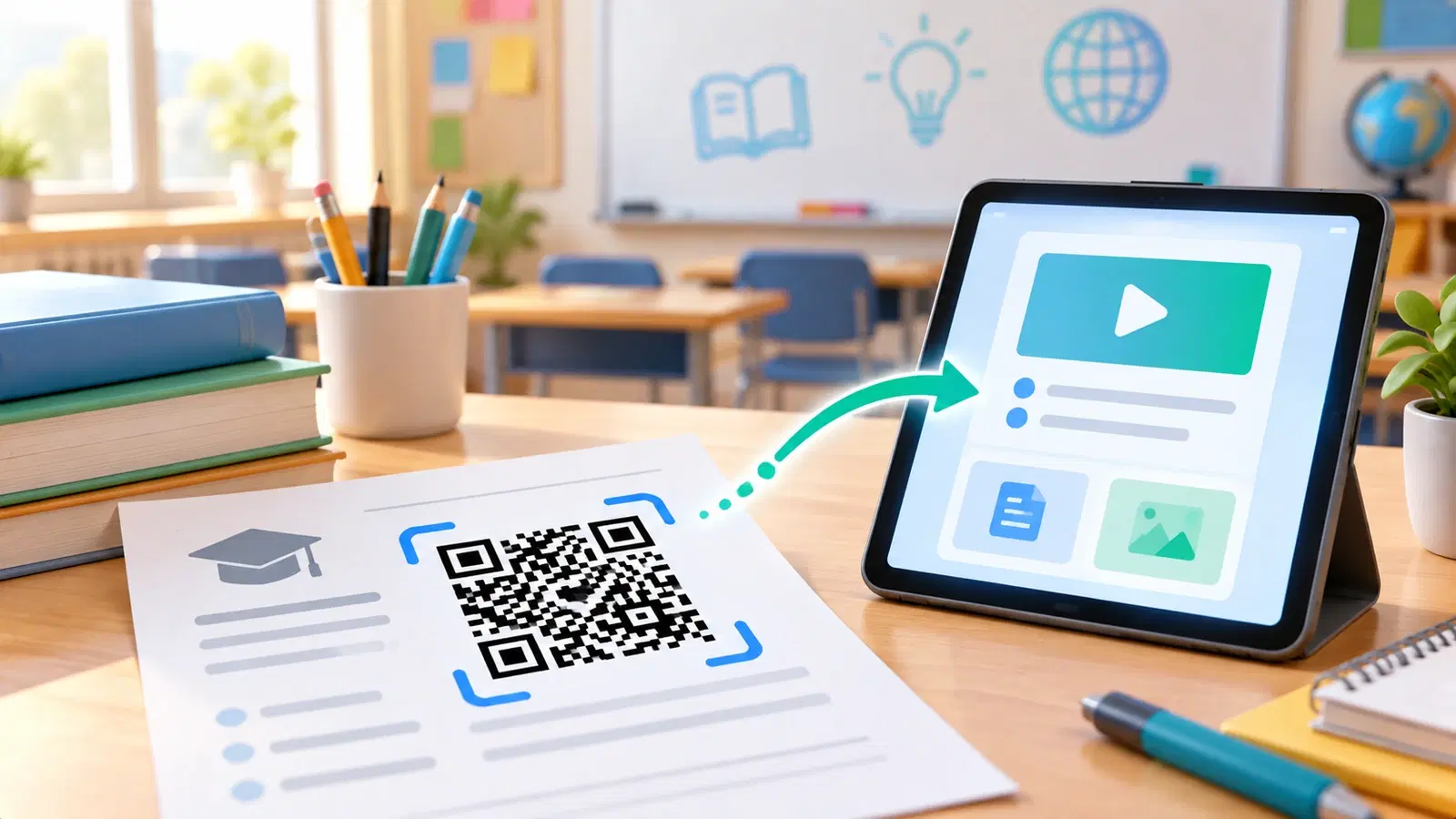
Teachers are masters of doing more with less time, and QR codes are a quietly powerful tool for exactly that. A small square on a worksheet can link students straight to a video, a reading, an answer key, or a submission form, no typing long URLs, no lost handouts, no "I couldn't find the link." One scan and they are there.
This guide is specifically about the teacher's workflow: how to use QR codes on worksheets, in homework, around the classroom, and for resources you share again and again. It focuses on practical, day-to-day teaching uses. For the broader school-wide picture, permission slips, newsletters, and campus use, see our guides on QR codes for schools and QR codes in education; here we zoom in on what an individual teacher can do with their own materials.
The best part: once you set a code up as dynamic, you can change where it points without reprinting the worksheet, which, for teachers who reuse materials year after year, is the feature that changes everything.
Why QR Codes Work So Well for Teaching
Before the specific uses, it helps to see why QR codes fit the classroom so naturally. It comes down to removing friction.
They eliminate typing long links. Asking a class to type a long URL wastes minutes and generates errors and "it's not working" from half the room. A scan takes everyone to the right place instantly. That reclaimed time, across every link you share, adds up fast.
They bridge paper and digital. Teachers still use paper, worksheets, handouts, posters, and QR codes connect that paper to digital resources: videos, interactive activities, readings, forms. You get the best of both without forcing everything onto screens or printing everything out. See how QR codes work.
They are device-agnostic and need no app. Any modern phone or tablet camera scans a QR code, no special app required. That makes them reliable across whatever devices your students have.
They are reusable and updatable (if dynamic). This is the teacher's secret weapon. A dynamic QR code on a worksheet can be repointed to a new video or updated resource next term, without reprinting the worksheet. You build your materials once and keep them current with a quick edit. See dynamic vs static QR codes.
The net effect: Less time lost to logistics, fewer "I can't find it" moments, and richer materials that mix paper and digital, which is why QR codes have quietly become a staple for time-pressed teachers.
Practical Classroom Uses
Here are concrete, classroom-tested ways teachers use QR codes day to day. Pick the ones that fit how you already teach.
On worksheets and handouts:
- Link to a video or demonstration that explains the concept, so students (or parents helping at home) can watch it again.
- Link to an answer key or worked solutions students can check after attempting the work.
- Link to a reading, article, or reference the worksheet refers to.
- Link to an audio clip, for language practice, pronunciation, or listening exercises.
For homework and submissions:
- Link to the homework instructions or resources so there is never confusion about what was assigned.
- Link to a submission form (a Google Form or similar) so students submit work with a scan.
- Link to extension or challenge activities for students who finish early.
Around the classroom:
- Station or center activities - a code at each station linking to that activity's resources.
- Posters and displays - link a wall display to a deeper resource or video.
- Library or reading corner - codes on books linking to author interviews, reviews, or related content.
- A classroom "help" code - a standing code linking to your class page, schedule, or FAQ.
For parents:
- Link to the class newsletter, schedule, or your contact page on take-home materials, so parents reach the right information with a scan.
Start with one or two of these, the ones that solve a friction point you feel most, rather than trying everything at once.
- Worksheets: link to explainer videos, answer keys, readings, or audio
- Homework: link to instructions, a submission form, or extension activities
- Stations/centers: a code per station linking to its resources
- Displays and library: connect posters and books to deeper content
- Parents: link take-home sheets to the newsletter, schedule, or contact page
Make Classroom QR Codes That Always Work
A QR code that does not scan in front of a class is a small disaster, so a little care up front keeps them reliable. These are the teacher-specific essentials.
Use dynamic codes so you can reuse materials. This is the big one for teachers. Make your codes dynamic so that when a video moves, a link changes, or you want to point last year's worksheet at this year's resource, you just edit the code, no reprinting. Build your worksheet library once and keep it current with edits. See how to edit a QR code after printing.
Make sure codes never expire. Use a platform whose codes are permanent, so a worksheet you reuse in three years still works. A code that expired over the summer break is exactly the failure you want to avoid. See why free QR codes stop working.
Size and print them clearly. Print codes large enough to scan easily from a student's seat, and keep the clear margin (quiet zone) around them. A tiny code crammed into a worksheet corner frustrates everyone. See the size guide.
Label every code. Always put a short label next to the code, "Scan for the video," "Scan to submit," "Scan for the answer key", so students know what it does before scanning. An unlabeled code creates hesitation and questions.
Test before you print the class set. Scan the code yourself on a phone (and a tablet if students use them) and confirm it goes exactly where intended, before printing thirty copies. See why codes fail to scan.
Mind student privacy and safety. Point codes only at appropriate, school-suitable destinations you control or trust, and follow your school's digital-safety guidance. A dynamic code helps here too: if a destination ever becomes unsuitable, you can repoint it instantly.
Pro Tip
Make every classroom code dynamic, and keep a simple list of which code points where. Then reusing materials is effortless: next term, point the same printed worksheet's code at the new video or form with a quick edit, no reprinting. Teachers who do this build a worksheet library once and keep it current for years.
Getting Started Without Overwhelm
You do not need to QR-code your entire classroom overnight. Here is a realistic way to start and build.
Start with one high-value code. Pick the single biggest friction point, maybe the worksheet whose video link students always struggle to type, and add one QR code there. Experience the time saved before expanding.
Build a small reusable set. Over a few weeks, add codes where they genuinely help: a submission form, a class-info code, a couple of worksheet videos. Keep each one dynamic and labeled. You are building a small toolkit, not a system.
Create a standing "class hub" code. A single dynamic code that points to your class page, schedule, or resource list is enormously useful: put it on your wall, your syllabus, and take-home sheets. Because it is dynamic, you update where it points (or the page behind it) all year while the printed code stays the same.
Reuse and update, do not recreate. The moment you reuse a worksheet from last term, you will feel the payoff: edit the code's destination to this term's resource instead of making a new worksheet. This is the habit that makes QR codes a lasting time-saver rather than a one-off novelty.
Keep it purposeful. Use codes where they remove real friction or add genuine value, not for their own sake. A few well-placed, reliable, dynamic codes will save you more time and confusion than codes scattered everywhere. Used this way, QR codes quietly give you back minutes in every lesson and make your materials richer, which is exactly what a busy teacher needs.
Conclusion
For teachers, QR codes are a quiet time-saver: a scan takes a whole class straight to a video, reading, answer key, or submission form, with no long URLs to type and no lost links. They bridge the paper you already use with the digital resources that bring lessons to life, on any device, with no app.
The features that matter most for teaching are dynamic and permanent codes. Dynamic codes let you reuse a printed worksheet year after year by simply repointing it to the new resource, no reprinting, and permanent codes mean a worksheet you reuse in three years still works. Add the basics, print them large, label every code, and test before printing the class set, and your codes will work reliably every time.
Start with one high-value code where you feel the most friction, build a small reusable set, and create a standing class-hub code. Used purposefully, a few reliable dynamic QR codes give you back minutes in every lesson and make your materials richer, which is exactly the kind of leverage a busy teacher needs.
Related reading:
Create reusable classroom QR codes with QRForever. Start a 7-day full-access trial, no credit card needed. Dynamic codes you can repoint every term, that never expire.
Explore QRForever Solutions
Ready to Create Your Own QR Codes?
Start creating dynamic QR codes for your business today. Track analytics, update content anytime, and never reprint again.
Related Articles
QR Code Menus for Restaurants: The Complete Setup Guide (Updated 2026)
Step-by-step guide to implementing QR code menus in your restaurant. Covers menu format options, placement strategy, staff training, and the one mistake that causes reprints. Updated May 2026.
QR Codes for Events: Conferences, Trade Shows & Beyond (Updated 2026)
QR codes turn events from logistical pain into smooth data-rich experiences: instant check-in, smart networking, lead capture for exhibitors, and post-event ROI you can actually prove. Updated May 2026 with the current best practices.
QR Codes on Product Packaging: Engaging Consumers Beyond the Shelf (Updated 2026)
Product packaging is your most-distributed marketing surface. Every unit on every shelf, in every home. QR codes turn that surface into a measurable, updatable channel for engagement, loyalty, and product education. Updated September 2026.