QR Codes for Libraries: Catalogs, Events & Digital Resources (2026)
Libraries connect people to books, programs, and digital resources, and QR codes shorten every one of those connections. From shelf-side catalog links to event sign-ups and e-book access, here is the 2026 guide for libraries.

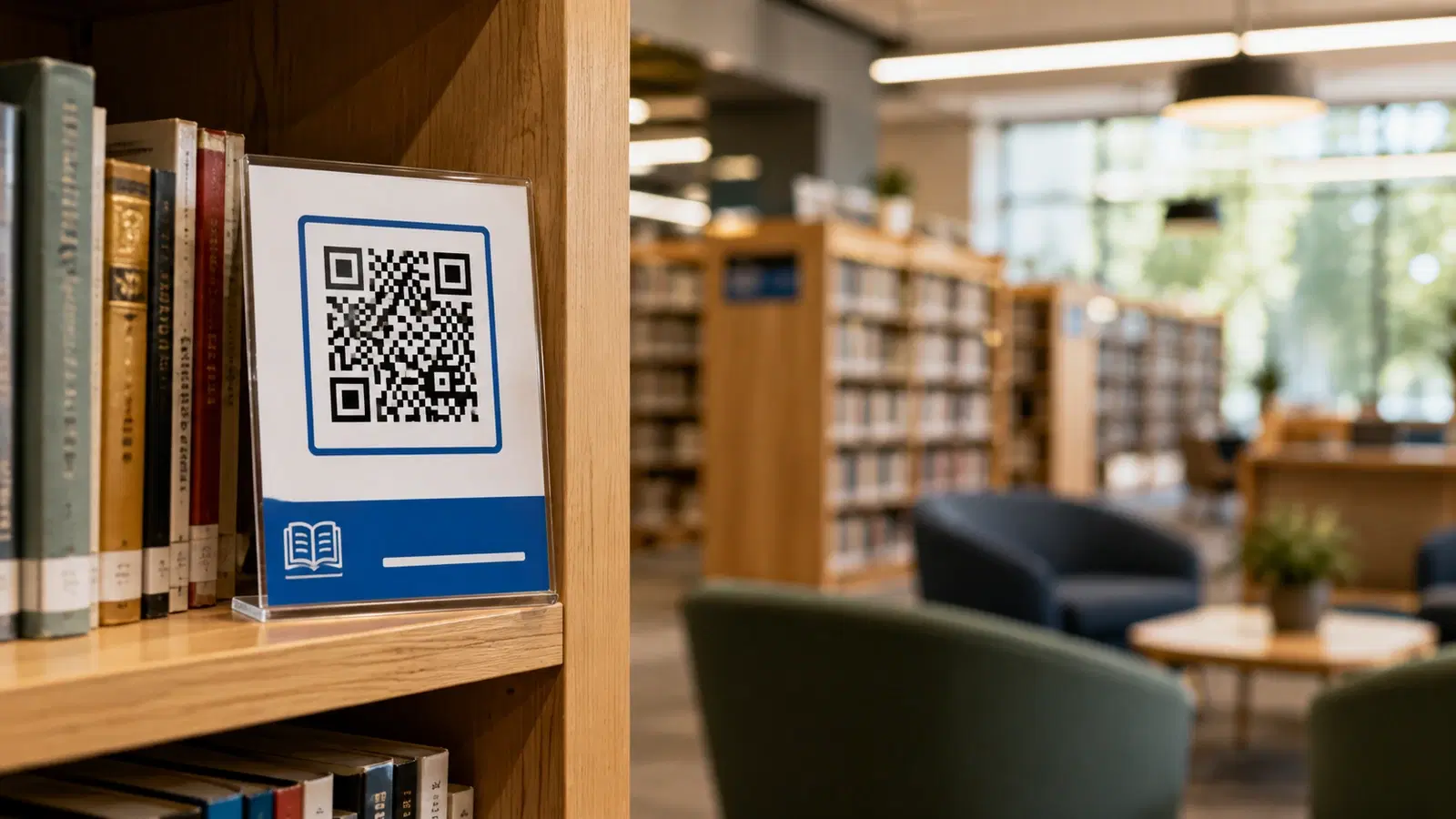
Libraries do something QR codes are perfectly suited to support: they connect people to resources. A book on a shelf, a program in the calendar, an e-book collection, a research database, a reading recommendation. Every one of those is a connection between a person standing somewhere and something they could access, and a QR code is the shortest path between the two.
Libraries have also evolved well beyond books. A modern library is a community hub offering digital lending, events, maker spaces, research help, and programs for every age. Communicating all of that to patrons, and helping them access it, is a real challenge that QR codes help solve.
This guide covers how public and school libraries use QR codes to connect patrons to catalogs, events, digital resources, and services. It approaches libraries as the community institutions they are, focused on access and service rather than sales, and complements our education guide with a library-specific view.
Use Case 1: Catalog and Collection Access
The core library function, connecting patrons to books and materials, is where QR codes offer immediate value at the shelf.
Shelf and display QR codes: QR codes on shelf ends, displays, and featured collections linking to the relevant catalog section, availability, or curated lists. A patron browsing the mystery section can scan to see the full catalog, check what is available, or place a hold, without walking to a terminal.
Reading list and recommendation QR codes: QR codes on displays and bookmarks linking to curated reading lists: staff picks, "if you liked this, try these," seasonal themes, award winners. This extends the librarian's recommendation expertise to patrons browsing on their own.
Book-specific QR codes: QR codes on individual featured titles or new arrivals linking to reviews, author information, related titles, or the option to place a hold. This enriches the browsing experience and helps patrons decide.
Availability and holds: A QR code linking to the catalog where a patron can check availability across branches and place a hold, useful when a physical copy is out. The patron scans, requests, and gets notified when it is ready.
Digital collection bridges: A QR code beside physical books linking to the e-book or audiobook version, so a patron who finds a book that is checked out, or who prefers digital, can access it immediately through the library's digital lending.
Why dynamic codes suit libraries: Catalogs, collections, and featured lists change constantly. A dynamic QR code on a permanent shelf label or display fixture can be repointed as collections rotate, without reprinting. See how to edit a QR code after printing.
Pro Tip
Place QR codes at the point of browsing, on shelf ends and displays, not just at the entrance or service desk. A patron deciding what to read is standing at the shelf, and a code right there, linking to recommendations or the catalog, meets them at the moment of decision. Access at the point of need is the whole idea.
Use Case 2: Events, Programs, and Registration
Modern libraries run rich program calendars, from story times to author talks to workshops, and getting patrons to discover and register for them is a constant challenge QR codes ease.
Event registration QR codes: QR codes on program flyers, posters, and displays linking directly to registration. A patron who sees a poster for a workshop can register on the spot rather than meaning to later. This lifts attendance, since "later" is where most intentions to register quietly die.
Program calendar QR codes: A QR code linking to the full events calendar, on signage throughout the library and on printed materials, so patrons can browse everything coming up. One dynamic code, always current, replaces constantly reprinted schedules.
Age-specific program QR codes: QR codes in the children's area linking to children's programs, in the teen space for teen events, and so on, connecting each audience to the programs relevant to them.
Newsletter and updates sign-up: A QR code inviting patrons to join the library's newsletter or updates, so program announcements reach them reliably rather than depending on catching a flyer.
Room and resource booking: For libraries offering bookable study rooms, meeting spaces, or equipment, a QR code linking to the booking system lets patrons reserve on the spot.
Why this matters for libraries: Programs are a huge part of a modern library's community value, but they only deliver that value if people attend. QR codes that make discovering and registering for programs effortless directly increase attendance and the community impact libraries are measured on. See our event check-in guide.
Use Case 3: Digital Resources and Services
Libraries offer a wealth of digital resources that patrons often do not know exist or struggle to access. QR codes bridge the gap between the physical library and its digital offerings.
Digital lending QR codes: QR codes linking to the library's e-book, audiobook, and digital media platforms, so patrons can discover and access digital lending. Many patrons do not realize their library card gives them access to a large digital collection, and a well-placed QR code introduces them to it.
Database and research QR codes: QR codes linking to research databases, learning platforms, and reference resources the library subscribes to on patrons' behalf. These valuable resources are underused simply because patrons do not know they are there, and QR codes on relevant signage surface them.
Library card and account QR codes: QR codes linking to card sign-up, account access, or the library app, making it easy for patrons to join or manage their account.
How-to and tutorial QR codes: QR codes linking to guides on using the library's digital services, since the barrier to digital resources is often not access but knowing how to use them. A tutorial a scan away helps patrons who would otherwise give up.
Wi-Fi access: A QR code for the library's guest WiFi, connecting patrons instantly. See our WiFi QR guide.
Language and accessibility resources: QR codes linking to resources in multiple languages or accessible formats, supporting the library's mission of serving the whole community. This connects to the broader principle in our accessible QR codes guide.
The access principle: A library's digital resources are only valuable if patrons use them, and the main barrier is awareness and ease of access, not the resources themselves. QR codes throughout the physical library that surface and simplify access to digital services turn underused subscriptions into genuine community value.
- Digital lending QR to introduce patrons to e-books and audiobooks
- Database and research QR to surface underused subscribed resources
- Library card and account QR for easy signup and access
- How-to QR so patrons can actually use the digital services
- The barrier to digital resources is awareness, not access
Use Case 4: Wayfinding, Self-Service, and Community
A few more use cases help libraries serve patrons efficiently and strengthen their community role.
Wayfinding QR codes: QR codes helping patrons navigate larger libraries: finding a section, a department, a room, or a service. Useful in multi-floor or large branch libraries where patrons can feel lost.
Self-service QR codes: QR codes supporting self-service checkout, renewals, and account management, reducing queues at the service desk and letting staff focus on the help that genuinely needs a person. This improves service while managing staff workload.
Feedback and suggestions: A QR code linking to a feedback or purchase-suggestion form, giving patrons an easy channel to request titles or share input, which helps the library serve the community's actual interests.
Local history and special collections: QR codes in special collections or local history areas linking to digitized materials, additional context, or oral histories, enriching these collections and making them more accessible.
Community information: As community hubs, libraries often share local resources and information. QR codes linking to community services, local government resources, or partner organizations extend the library's role as a connector.
Volunteer and Friends-of-the-Library sign-up: A QR code linking to volunteer opportunities or the Friends group, supporting the community involvement many libraries depend on.
Donation QR codes: For libraries accepting donations, a QR code linking to giving, presented respectfully, makes it easy for patrons who wish to support the library. This parallels the approach in our nonprofits guide.
The community principle: A modern library is a community institution, and these uses reinforce that role: helping patrons navigate and self-serve efficiently, gathering their input, connecting them to community resources, and enabling those who wish to support the library. QR codes make the library easier to use and more woven into the community it serves.
Conclusion
Libraries exist to connect people to resources, and QR codes shorten every one of those connections. At the shelf, they link browsers to the catalog, recommendations, and digital versions. On program flyers, they turn interest into registration. Throughout the building, they surface the digital lending, databases, and services that patrons often do not know their library card unlocks. And they support the wayfinding, self-service, and community roles a modern library fills.
The unifying theme is access. A library's collections, programs, and digital resources only deliver value when patrons actually reach and use them, and the main barriers are awareness and ease, not the resources themselves. QR codes placed at the point of need, the shelf, the flyer, the relevant signage, remove those barriers and connect patrons to what the library offers in a single scan.
Start with catalog access at the shelves and event registration on program materials, the two that most directly serve the core library functions, and expand into digital resources and services from there. Use dynamic codes so your ever-changing collections and calendars stay current without reprinting.
Related reading:
Create QR codes for your library with QRForever. Start a 7-day full-access trial, no credit card needed. Begin with catalog access at the shelves and event registration on program materials.
Explore QRForever Solutions
Ready to Create Your Own QR Codes?
Start creating dynamic QR codes for your business today. Track analytics, update content anytime, and never reprint again.
Related Articles
QR Code Menus for Restaurants: The Complete Setup Guide (Updated 2026)
Step-by-step guide to implementing QR code menus in your restaurant. Covers menu format options, placement strategy, staff training, and the one mistake that causes reprints. Updated May 2026.
QR Codes for Events: Conferences, Trade Shows & Beyond (Updated 2026)
QR codes turn events from logistical pain into smooth data-rich experiences: instant check-in, smart networking, lead capture for exhibitors, and post-event ROI you can actually prove. Updated May 2026 with the current best practices.
QR Codes on Product Packaging: Engaging Consumers Beyond the Shelf (Updated 2026)
Product packaging is your most-distributed marketing surface. Every unit on every shelf, in every home. QR codes turn that surface into a measurable, updatable channel for engagement, loyalty, and product education. Updated September 2026.