QR Codes for Construction Sites: Safety, SDS Sheets & Equipment Logs (2026)
Construction sites run on paperwork that gets lost, damaged, or ignored: safety inductions, SDS sheets, equipment inspections. QR codes put all of it one scan away on any worker's phone. Here's the practical 2026 implementation guide.

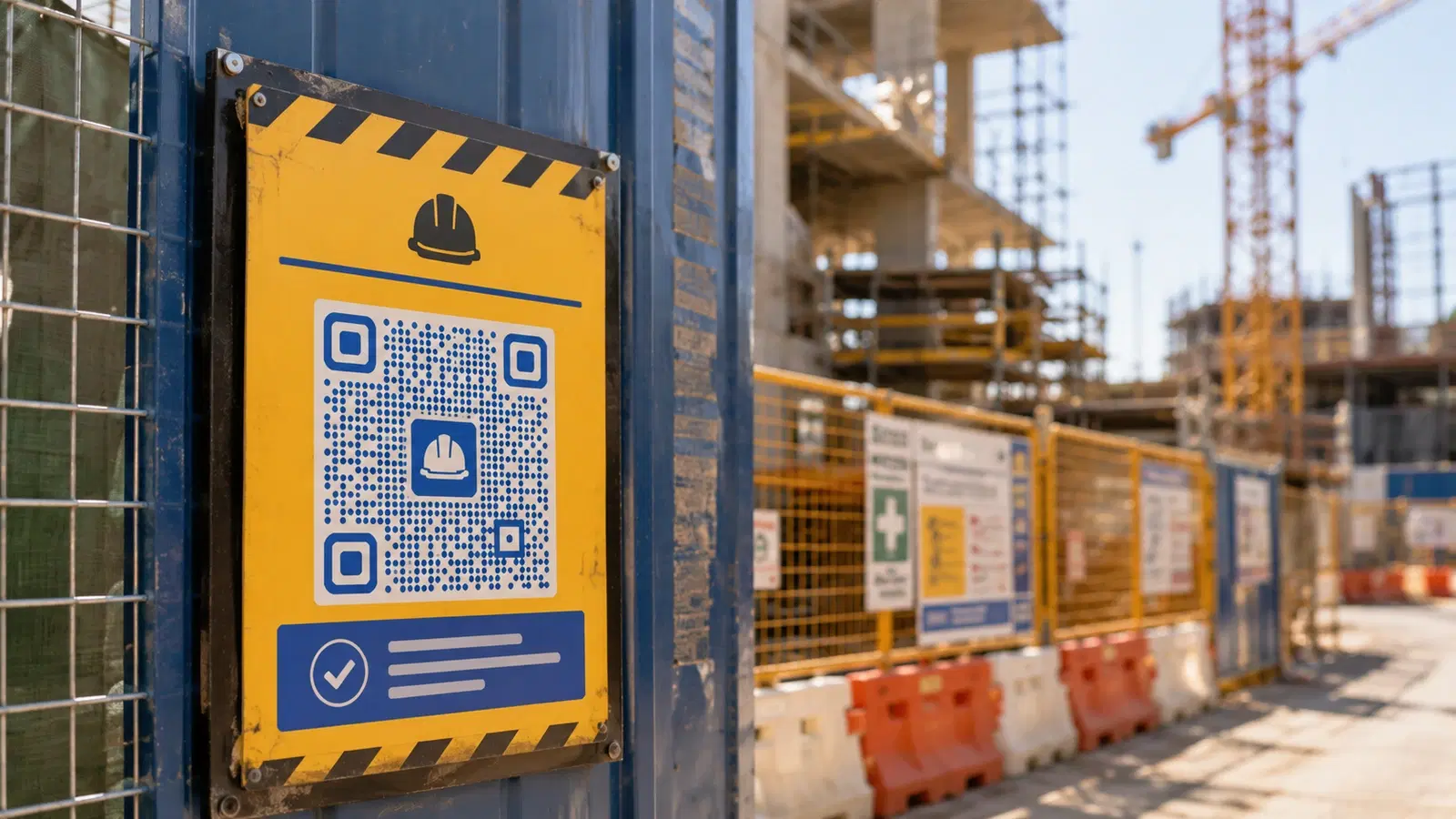
Construction sites generate enormous amounts of compliance-critical paperwork, and they're the worst possible environment for paper. Dust, rain, mud, gloves, and constant movement destroy printed documents and make filing impossible.
QR codes solve a specific, high-value problem on construction sites: putting safety documentation, equipment records, and compliance information one scan away on any worker's phone: durable, always current, and accessible without an office trip.
This guide is built around the real construction workflow: site induction, hazard communication (SDS sheets), equipment inspection, and daily safety briefings. Each use case here either saves compliance risk, reduces admin time, or improves on-site safety.
Use Case 1: Site Safety Induction QR Code
Every worker and visitor entering a construction site needs a safety induction. Done on paper, it's a bottleneck: the site supervisor walks each new person through forms, collects signatures, and files them.
The QR code solution:
A QR code at the site entrance / gate office links to a digital induction:
- A short safety video specific to your site
- The induction acknowledgment form (worker confirms they understand site rules)
- Emergency procedures and assembly points
- Site-specific hazards
Workers scan on arrival, complete the induction on their phone, and the supervisor sees completions in a dashboard.
What this enables:
- New subcontractors complete induction before the supervisor is even free
- Records are digital, timestamped, and can't be lost in the rain
- Multilingual support (critical on diverse construction crews): the form can offer language options
- Visitors (inspectors, clients, delivery drivers) get a lighter visitor induction via a separate QR code
Setup: 1. Build the induction form (your safety management system, or a tool like SafetyCulture/iAuditor, Google Forms, or JotForm) 2. Host the safety video 3. Create a dynamic QR code pointing to the induction 4. Print on a weatherproof sign at the site entrance
Why dynamic codes are essential here: Site conditions change as the project progresses: new hazards, new phases, new rules. A dynamic QR code lets you update the induction content as the site evolves, without replacing the entrance signage. See how to edit a QR code after printing.
Pro Tip
Laminate or use weatherproof material for any construction-site QR code. Better still, print the QR code on aluminum composite or rigid PVC signage: standard paper degrades within days in site conditions.
Use Case 2: SDS Sheets (Safety Data Sheets) QR Codes
Safety Data Sheets (SDS, formerly MSDS) are legally required for every hazardous substance on site: adhesives, solvents, fuels, concrete additives, paints. In an emergency (a spill, a worker exposure), the relevant SDS must be immediately accessible.
The traditional approach (a binder of printed SDS sheets in the site office), fails exactly when needed: the binder is far away, out of date, or the relevant sheet is missing.
The QR code solution:
A QR code on or near each hazardous substance (or its storage area) links directly to the current SDS for that substance.
Setup: 1. Maintain a digital SDS library (your safety management system, or a shared cloud folder) 2. Create a dynamic QR code per substance, or one master QR code linking to an indexed SDS library 3. Print weatherproof QR labels and affix to containers, storage cabinets, or substance areas
Why this is genuinely important for safety:
- In an exposure incident, a worker or first responder scans the QR code and immediately has first-aid measures, not a 20-minute search through a binder
- SDS sheets get updated by manufacturers, a dynamic QR code always shows the current version, eliminating the "outdated binder" compliance gap
- Inspectors can verify SDS accessibility instantly (a major compliance checkbox)
Two QR code patterns:
- Per-substance QR: scan the label on the drum → that substance's exact SDS. Best for high-risk materials.
- Master library QR: scan one QR at the substance storage area → a searchable index of all on-site SDS sheets. Best for general coverage.
Most sites use both: master library QR codes at storage areas, plus per-substance QR codes on the highest-risk materials.
Important
SDS accessibility is a legal requirement in most jurisdictions (OSHA in the US, similar regulations elsewhere). A QR code is a supplement to, not a replacement for, your legal obligations: confirm your local regulations on whether digital-only SDS access is sufficient, as some jurisdictions still require physical copies on site.
Use Case 3: Equipment Inspection & Maintenance Logs
Heavy equipment, scaffolding, harnesses, ladders, and lifting gear all require regular inspection. The inspection record must be tied to the specific piece of equipment and kept current.
The traditional approach (a paper inspection tag zip-tied to the equipment), gets weathered, torn off, or falls behind.
The QR code solution:
A durable QR code affixed to each piece of equipment links to that item's digital inspection log.
What the linked page shows:
- Equipment ID and details
- Last inspection date and result
- Next inspection due date
- Full inspection history
- Who to contact if it's overdue or faulty
The workflow: 1. Inspector arrives at equipment 2. Scans the QR code 3. Sees inspection history and completes the new inspection digitally on their phone 4. Record is timestamped and tied to that equipment automatically
Why this transforms equipment safety:
- Any worker can scan to verify equipment is safe to use before operating it (is this scaffold inspected? Is this harness in date?)
- Overdue inspections are immediately visible. Scan shows "INSPECTION OVERDUE" in red
- Inspection history is permanent and auditable, not dependent on a paper tag surviving
- Site managers get a dashboard view of all equipment inspection status
Setup: 1. Use an equipment management system that supports QR codes (many CMMS and EHS platforms do), or build a simple system with a spreadsheet + hosted pages 2. Generate a dynamic QR code per equipment item 3. Affix durable QR labels (engraved metal tags or industrial-grade weatherproof labels) to each item
For asset tracking patterns beyond construction, see our QR code inventory management guide.
Use Case 4: Toolbox Talks & Daily Briefings
Toolbox talks (short daily safety briefings) are a construction safety staple. Documenting attendance and the topic covered is a compliance requirement.
The QR code solution:
A QR code (on a sign, the supervisor's clipboard, or a site noticeboard) links to a digital attendance and acknowledgment form for the day's toolbox talk.
The workflow: 1. Supervisor delivers the toolbox talk 2. Workers scan the QR code 3. They confirm attendance and acknowledge understanding the topic 4. Attendance is logged digitally with timestamps
Bonus: content delivery: The same QR code can link to the toolbox talk material itself (a one-page guide, a short video, a diagram). Workers who missed the live briefing or want to review can access it anytime.
Why this beats paper sign-in sheets:
- No lost or rain-damaged attendance sheets
- Timestamped, tamper-evident records for compliance audits
- Workers who arrive late can still acknowledge they reviewed the material
- Multilingual toolbox talk content via the linked page
Setup: Use one dynamic QR code for "today's toolbox talk" and update its destination daily, the same printed QR code on the noticeboard always points to the current day's topic and attendance form. This avoids reprinting a QR code every day.
For event-style attendance tracking patterns, see QR code event check-in.
- One reusable "today's toolbox talk" QR: update destination daily
- Links to both attendance form AND the briefing material
- Timestamped digital records for compliance audits
- Multilingual content support for diverse crews
- Late arrivals can still acknowledge via scan
Bonus Use Cases for Construction Sites
Beyond the four core use cases, these add real value:
Permit-to-work QR codes: For high-risk activities (hot work, confined space, working at height), a QR code links to the active permit, showing who's authorized and current conditions.
Drawing & plan access QR codes: QR codes posted in work areas linking to the current drawings/plans for that zone. Ensures workers always reference the latest revision, not an outdated printout.
Incident reporting QR code: A QR code on site noticeboards linking to a quick incident/near-miss reporting form. Lower friction = more near-misses reported = better safety data.
Subcontractor document QR codes: QR codes that subcontractors scan to upload their required documents (insurance, certifications, method statements) before starting work.
Delivery & logistics QR codes: QR codes at the site gate directing delivery drivers to the correct drop-off zone, unloading procedures, and the person to contact.
Welfare facilities QR code: A QR code at site welfare areas linking to information on facilities, first-aid locations, and site amenities, useful for new workers.
Progress photo documentation QR code: QR codes at fixed photo points so progress photos are always taken from consistent angles, linked to a photo log.
Environmental compliance QR code: For sites with environmental requirements, QR codes linking to spill response procedures, waste segregation guides, and environmental monitoring data.
For broader asset and inventory tracking, see QR code inventory management.
Implementation Considerations for Construction
Construction sites have specific constraints that affect QR code deployment:
Durability is non-negotiable. Standard paper QR codes fail within days. Use weatherproof materials: laminated labels at minimum, ideally engraved metal tags or rigid signage for permanent installations. The QR code must survive rain, dust, UV, and physical contact.
Connectivity can be poor. Remote sites may have weak mobile signal. Consider: destinations that load on slow connections (lightweight pages, not heavy apps), and for critical safety info, ensure it's accessible offline where possible (some apps cache).
Glove-friendly scanning. Workers wear gloves. QR codes need to be large enough and positioned so they can be scanned without removing PPE. Typically larger than office QR codes (minimum 5cm, ideally larger for equipment).
Worker device variation. Workers have varied phones, some older. Test that destinations work on older Android devices, not just modern iPhones.
Multilingual workforce. Construction crews are often multilingual. Destination pages should support language selection. This is a genuine safety issue, not just convenience.
Compliance verification. QR-based systems must satisfy your legal/regulatory obligations. Confirm with your safety advisor that digital records and digital SDS access meet your jurisdiction's requirements. Use QR codes to enhance compliance, never to circumvent legal documentation requirements.
For QR code sizing and durability principles, see our QR code size guide and 15 common QR code mistakes.
Conclusion
Construction sites are one of the highest-value environments for QR codes precisely because they're the worst environment for paper. Safety inductions, SDS sheets, equipment inspection logs, and toolbox talks all become more reliable, more current, and more accessible when they're one scan away on a worker's phone instead of in a weather-damaged binder in the site office.
The implementation priorities: durable QR codes (weatherproof or engraved), dynamic codes (so content updates as the site evolves), large glove-friendly sizing, and multilingual destinations. And critically. QR codes supplement your legal compliance obligations; they don't replace them. Confirm with your safety advisor.
Start with the use case that causes the most pain or risk at your site, for most, that's either site induction or SDS accessibility, and expand from there.
Related reading:
Create durable, dynamic QR codes for your construction site with QRForever. Start a 7-day full-access trial, no credit card. Dynamic codes are editable anytime with full scan analytics, ideal for your highest-priority use case like site induction or SDS access.
Explore QRForever Solutions
Ready to Create Your Own QR Codes?
Start creating dynamic QR codes for your business today. Track analytics, update content anytime, and never reprint again.
Related Articles

QR Code Menus for Restaurants: The Complete Setup Guide (Updated 2026)
Step-by-step guide to implementing QR code menus in your restaurant. Covers menu format options, placement strategy, staff training, and the one mistake that causes reprints. Updated May 2026.

QR Codes for Events: Conferences, Trade Shows & Beyond (Updated 2026)
QR codes turn events from logistical pain into smooth data-rich experiences: instant check-in, smart networking, lead capture for exhibitors, and post-event ROI you can actually prove. Updated May 2026 with the current best practices.
QR Codes on Product Packaging: Engaging Consumers Beyond the Shelf (Updated 2026)
Product packaging is your most-distributed marketing surface. Every unit on every shelf, in every home. QR codes turn that surface into a measurable, updatable channel for engagement, loyalty, and product education. Updated September 2026.