QR Codes for Airbnb & Vacation Rental Hosts: House Manuals, WiFi & Reviews (2026)
Vacation rental guests have questions the moment they arrive, and a host cannot always be there. QR codes turn a printed card into an instant house manual, WiFi connection, local guide, and review prompt. Here is the 2026 host guide.

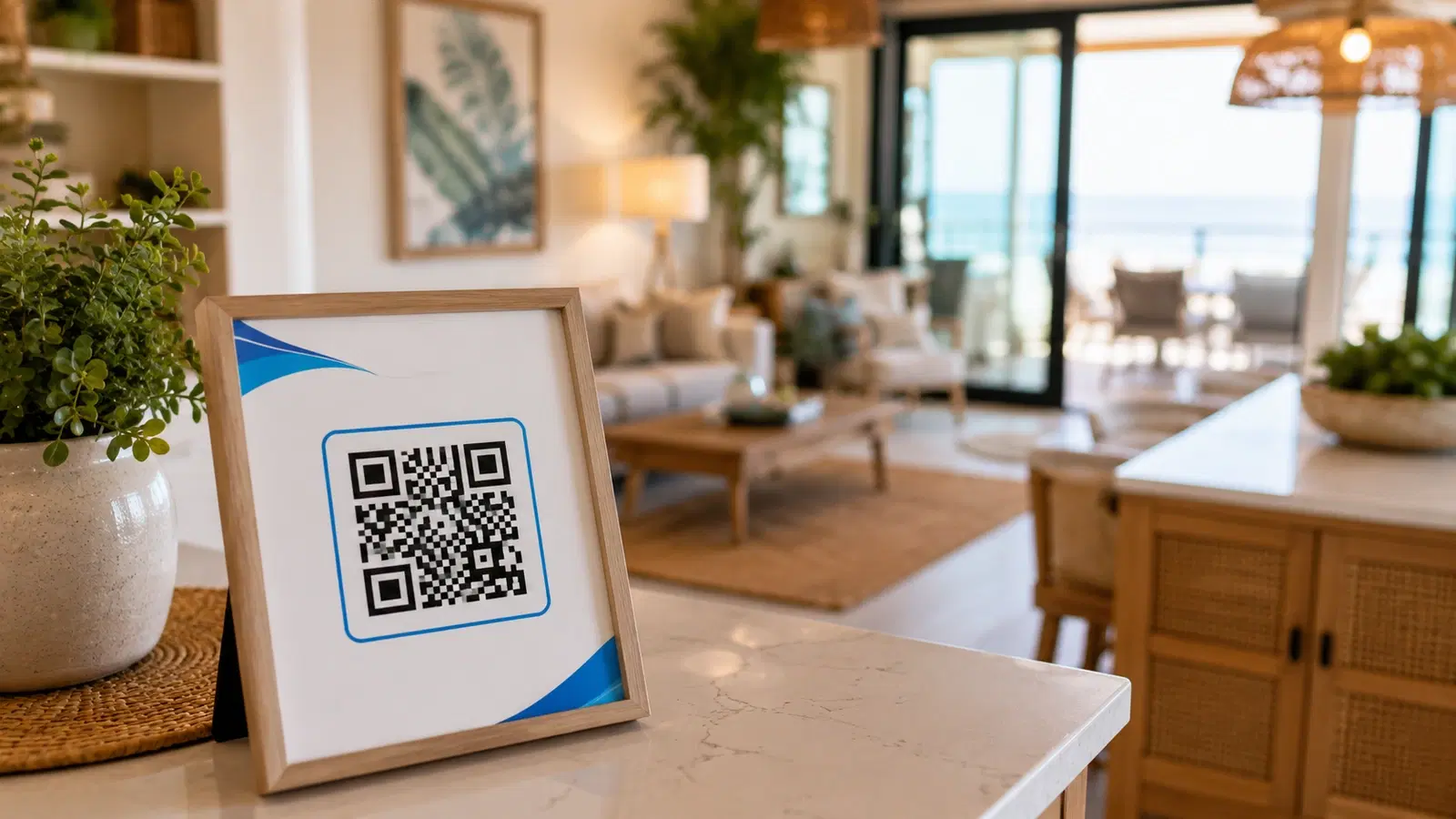
A vacation rental guest arrives with a predictable set of questions: how does the WiFi work, how do I use the coffee machine, when is checkout, where should I eat, how do I work the thermostat. And the host, unlike a hotel with a front desk, is usually not there to answer them.
The traditional solution is a thick printed house binder that guests rarely read and that goes out of date. QR codes replace it with something better: a small, tidy card or set of stickers that connect guests to exactly the information they need, the moment they need it, on their own phone.
This guide covers how Airbnb and vacation rental hosts use QR codes to give guests a smooth, self-sufficient stay, reduce the messages they receive, and earn better reviews. It is a companion to our hotels and hospitality guide, focused on the specific reality of a short-term rental host who is not on site.
Use Case 1: The Digital House Manual
The house manual is the core use case, because it answers the questions that otherwise become messages to you at inconvenient times.
The problem with the printed binder: Guests do not read a thick binder. It goes out of date when you change an appliance or a rule. It gets worn, lost, or coffee-stained. And it cannot hold a how-to video for the tricky shower.
The QR code approach: A QR code (on a welcome card, a framed sign, or a fridge magnet) linking to a digital house manual. Guests scan and find everything organized and searchable on their phone.
What the digital house manual contains:
- WiFi details (or a separate WiFi QR, covered below)
- How to use appliances: the coffee machine, dishwasher, washing machine, thermostat, TV, oven
- Check-in and checkout times and procedures
- House rules
- Parking information
- Trash and recycling instructions and days
- Emergency contacts and nearest medical facilities
- Your contact details for genuine issues
Why it works better:
- Guests actually use it, because it is on the phone already in their hand
- You can include how-to videos for anything confusing, which a binder cannot
- You update it once and every guest sees the current version
- It reduces the messages you receive, which is the real quality-of-life win for a host
Use a dynamic code: You will update the manual as you change appliances, rules, and recommendations. A dynamic QR code lets you keep the same printed card while the content behind it stays current. See how to edit a QR code after printing.
Pro Tip
Include short how-to videos in your digital house manual for anything guests commonly struggle with, like a fiddly shower, a European washing machine, or a smart thermostat. A 30-second video prevents the message you would otherwise receive at 11pm, and it is the kind of thoughtful touch that shows up in reviews.
Use Case 2: WiFi and Instant Connection
WiFi is the first thing almost every guest wants, and typing a long password from a card is a small but universal annoyance.
The WiFi QR code: A QR code that connects a guest to your network automatically when scanned, with no password typing. It is the single most appreciated small touch in a rental, because it is the first thing they need and it just works.
Setup: Generate a WiFi QR code encoding your network name and password, and display it prominently: on the welcome card, framed near the router, or on a fridge magnet. See our complete WiFi QR code guide for the details.
A note for hosts who rotate passwords: A standard WiFi QR encodes the password directly, which is fine if it rarely changes. If you change your WiFi password between guests for security, consider a dynamic QR code pointing to a small page that shows the current password, so you can update it without reprinting the card.
Why it sets the tone: The WiFi moment is the guest's first interaction with your systems. When it is effortless, it signals a well-run, thoughtful rental, and the stay starts on the right note. When it is a struggle with a mistyped password, it starts with friction. Small moment, outsized impression.
Use Case 3: Local Recommendations and the Guest Experience
Guests want local knowledge, and your recommendations are part of what makes a rental better than a hotel. QR codes deliver them elegantly.
The local guide QR code: A QR code linking to your curated local recommendations: restaurants, cafes, attractions, walks, shops, and the practical stuff like the nearest pharmacy and grocery store. A good local guide genuinely improves a guest's trip and is a frequent theme in positive reviews.
Why yours beats a generic search: Guests can search for restaurants anywhere. What they value is your specific, trusted recommendation: the actual good coffee, the restaurant locals use, the walk with the view. That local, personal knowledge is a real differentiator, and a QR code makes it a scan away.
Experience and booking links: A QR code linking to local experiences, tours, or bookable activities, sometimes with host referral arrangements, helps guests fill their trip and can add a small revenue stream.
Transport and getting around: A QR code with local transport information, taxi and ride options, and directions to key places, which is especially valuable for guests in an unfamiliar area.
Why it deepens the experience: A rental with a thoughtful local guide feels hosted even when the host is not present. It is the difference between a place to sleep and a place that helped the guest have a better trip, and that difference is exactly what earns the five-star review discussed next.
For the broader tourism angle, see our tourism and museums guide.
Use Case 4: Reviews, Rebooking, and Host Growth
For a rental host, reviews are everything, and repeat or direct bookings are the path to a sustainable business. QR codes support both.
Review QR codes: A QR code, presented near checkout or in a thank-you note, gently prompting a satisfied guest to leave a review. Reviews drive your ranking and booking rate on the platform, and a happy guest at the end of a smooth stay is your best moment to ask. Keep it warm and low-pressure. See our Google reviews guide for the review-gathering principles, which apply to platform reviews too.
Note on platform rules: Follow the review policies of whichever platform you host on. Ask for honest reviews only, never incentivized, and respect the platform's process. The QR code simply removes the friction of finding where to leave the review.
Direct booking and rebooking QR codes: A QR code linking to your direct booking channel or a way to book a future stay, so a guest who loved the place can return, potentially booking directly. Building a base of repeat guests and direct bookings is how hosts reduce their dependence on platform fees over time.
Your other properties: If you host multiple rentals, a QR code linking to your other listings lets a happy guest discover your other places for their next trip.
Feedback before it becomes a public review: A private feedback QR code gives guests a channel to raise a problem with you directly during or after the stay, so you can fix it, rather than discovering it in a public review you can no longer address. This single tool protects your rating meaningfully. See our customer feedback guide.
The host growth principle: A smooth, well-hosted stay produces a great review, a great review produces more bookings, and a captured relationship produces repeat and direct bookings. QR codes support every link in that chain, and they do it while reducing the messages and friction that make hosting tiring.
- Digital house manual QR to answer questions and cut messages
- WiFi QR for the effortless first impression
- Local guide QR that makes the stay feel hosted
- Review QR at checkout, warm and honest, following platform rules
- Private feedback QR to catch problems before they become public reviews
- Direct booking and other-listings QR to build repeat business
Conclusion
For Airbnb and vacation rental hosts, QR codes solve the defining challenge of the format: guests have questions the moment they arrive, and you are not there to answer them. A digital house manual answers those questions instantly and cuts the messages you receive. A WiFi QR makes the first impression effortless. A local guide makes the stay feel hosted. And review, feedback, and rebooking codes protect and grow your rating and your business.
The pattern is a small, tidy set of codes replacing a thick unread binder, delivering exactly the right information at exactly the right moment, and updatable without reprinting because you use dynamic codes. The result is guests who feel looked after, a rating that reflects it, and a host who spends less time answering the same questions.
Start with the house manual and the WiFi code, the two that most improve the guest experience and most reduce your workload, and add the others as you go.
Related reading:
Create dynamic QR codes for your rental with QRForever. Start a 7-day full-access trial, no credit card needed. Update your house manual and recommendations anytime without reprinting a thing.
Explore QRForever Solutions
Ready to Create Your Own QR Codes?
Start creating dynamic QR codes for your business today. Track analytics, update content anytime, and never reprint again.
Related Articles
QR Code Menus for Restaurants: The Complete Setup Guide (Updated 2026)
Step-by-step guide to implementing QR code menus in your restaurant. Covers menu format options, placement strategy, staff training, and the one mistake that causes reprints. Updated May 2026.
QR Codes for Events: Conferences, Trade Shows & Beyond (Updated 2026)
QR codes turn events from logistical pain into smooth data-rich experiences: instant check-in, smart networking, lead capture for exhibitors, and post-event ROI you can actually prove. Updated May 2026 with the current best practices.
QR Codes on Product Packaging: Engaging Consumers Beyond the Shelf (Updated 2026)
Product packaging is your most-distributed marketing surface. Every unit on every shelf, in every home. QR codes turn that surface into a measurable, updatable channel for engagement, loyalty, and product education. Updated September 2026.