QR Codes for Pet Tags & Lost Pet Recovery (2026 Guide)
A QR code on your pet's tag means anyone who finds them can reach you instantly, see medical needs, and help them get home, without a phone call to a vet or shelter. Here is how QR pet tags work and how to set one up in 2026.

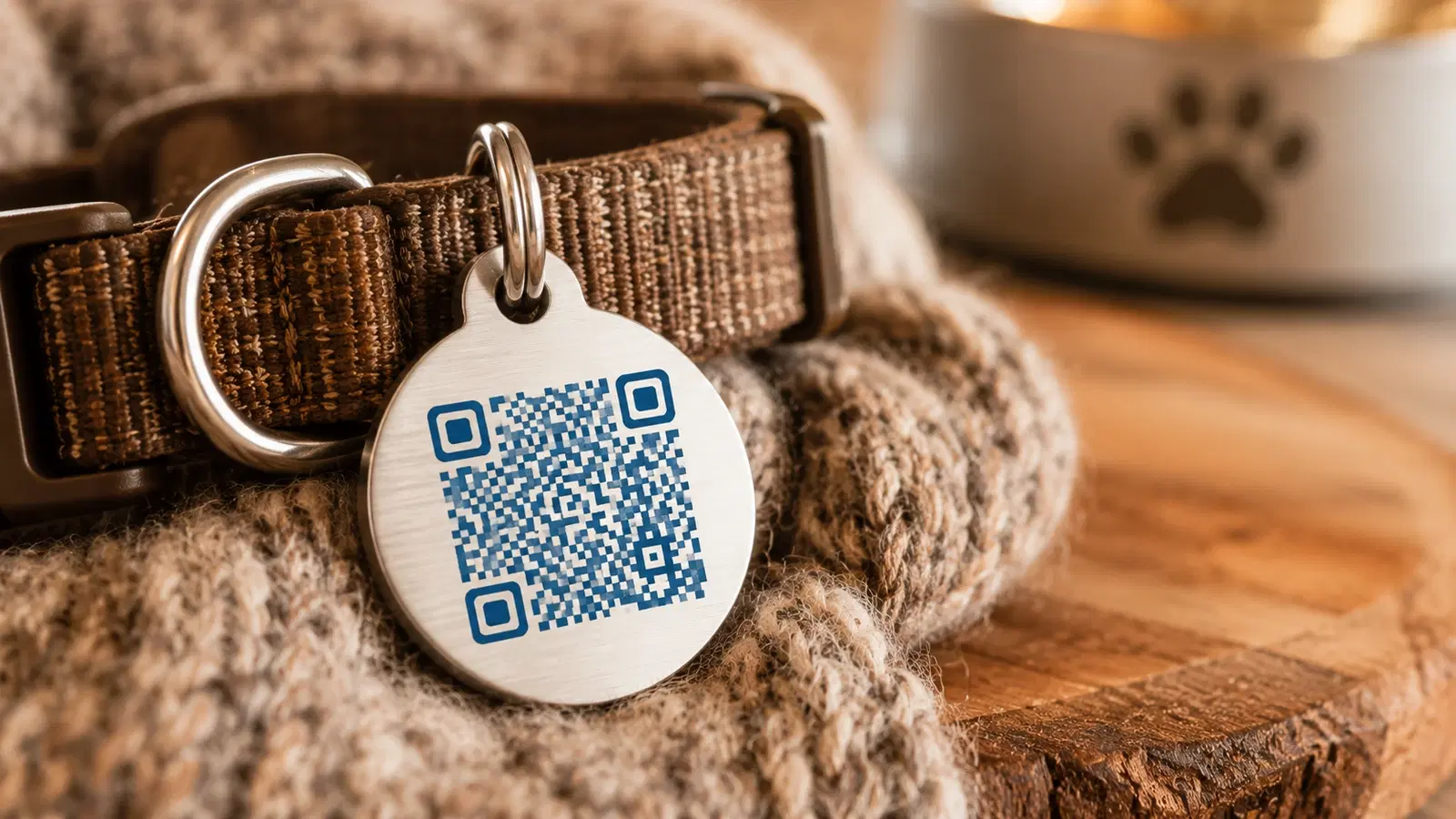
A traditional pet tag holds a name and a phone number stamped into metal. It works, but it is limited: the number can wear off, it cannot be updated when you move or change phones, and whoever finds your pet has to call and hope you answer.
A QR code pet tag changes this. Anyone who finds your lost pet scans the tag with their phone and instantly sees how to reach you, your pet's name and important details, and any medical needs. No phone call required, no waiting, no scanning a microchip that only a vet or shelter can read.
This guide explains how QR code pet tags work, what to put on the linked page, how to set one up, and the important safety considerations for sharing your information. The emotional reality matters here: when a pet goes missing, the speed of getting them home is everything, and a QR tag is built for speed.
How QR Code Pet Tags Work
Understanding the mechanism shows why a QR tag recovers pets faster than a traditional tag or even a microchip.
A traditional tag: Stamped with a phone number. The finder must call and hope you pick up. If the number is old or worn, the trail ends.
A microchip: Excellent for permanent identification, but it is not readable by the public. Only a vet or shelter with a scanner can read it, which means the finder must take your pet somewhere first. Microchips are essential and you should still have one, but they are slow for the immediate "I found a dog in the park" moment.
A QR code tag: Anyone with a smartphone, which is nearly everyone, can scan it on the spot. The scan opens a web page you control showing your contact details and your pet's information. The finder can call, text, or see your pet's needs immediately, right where they are standing.
The key advantage: A QR tag turns any passerby into someone who can instantly help, with no special equipment and no trip to a vet. It complements a microchip rather than replacing it: the microchip is your permanent backstop, the QR tag is your fast public recovery path.
Why a dynamic QR code is essential: Your phone number changes. You move. You might want to add a temporary note ("currently being treated, please call urgently"). A dynamic QR code lets you update all of this without buying a new tag. The code engraved on the tag stays the same; the information it shows is always current. See QR codes that never expire for why this matters for something as long-lived as a pet tag.
Pro Tip
Keep both a microchip and a QR tag. The microchip is your permanent, tamper-proof identification that a shelter will check. The QR tag is your fast, public-facing recovery tool that any finder can use immediately. Together they cover both the immediate and the fallback recovery paths.
What to Put on the Linked Page
The page your QR tag links to should help a finder reunite you with your pet quickly, while protecting your privacy. Include:
Essential:
- Your pet's name (helps the finder calm and call the pet)
- A way to contact you: phone number, and ideally a "tap to call" and "tap to text" button
- A backup contact (a partner, family member, or friend) in case you are unreachable
Very helpful:
- A photo of your pet (confirms identity)
- Important medical needs ("needs daily medication," "diabetic," "allergic to X")
- Temperament notes ("friendly," "may be scared, approach slowly," "do not chase")
- Your general area or neighborhood (not your exact home address)
Optional:
- Your vet's contact information
- A reward note if you choose to offer one
- Microchip number reference
What to avoid putting on the page:
- Your exact home address (a privacy and safety risk)
- Excessive personal information
- Anything you would not want a stranger to see
The balance: The page should give a finder everything they need to help your pet and reach you, without exposing information that creates a personal safety risk. Contact details and pet care needs, yes. Your home address and personal life, no.
Important
Do not put your home address on the QR tag page. A lost pet tag can be scanned by anyone, including someone who realizes your home may be empty. Share a phone number and general area, never your exact address. The goal is to reach you, not to reveal where you live.
How to Set Up a QR Code Pet Tag
There are two main approaches: buy a ready-made QR pet tag product, or create your own with a dynamic QR code and a generic tag.
Option A: A purpose-built QR pet tag product Several companies sell QR pet tags that include a durable engraved tag plus a hosted profile page. You buy the tag, set up the profile, and you are done. These are convenient and built for the purpose, often with finder-notification features (you get an alert when someone scans the tag).
Option B: Create your own with a dynamic QR code 1. Create a dynamic QR code on a QR platform, pointing to a simple page with your pet's recovery information 2. Have the QR code engraved or printed onto a durable tag (engraved metal is most durable; printed tags should be laminated or sealed) 3. Attach it to your pet's collar 4. Update the linked page anytime your details change
Durability matters most: A pet tag lives outdoors, gets wet, rubs against things, and takes daily wear. A paper QR code will not survive. Use engraved metal, or a sealed, laminated, weatherproof tag. Test that the engraved or printed code still scans reliably after handling.
Size and scannability: Pet tags are small, which makes the QR code small. Use a simple, high-contrast code with strong error correction so it scans even at a small size and after wear. Avoid heavily stylized codes here; reliability is everything. See our QR code size guide and design guide.
Test it before relying on it: Scan the finished tag with a few different phones. Confirm the page loads quickly and the contact buttons work. You want zero surprises in the moment it actually matters.
- Choose a ready-made QR pet tag product or create your own dynamic code
- Use a durable tag: engraved metal or sealed weatherproof material
- Keep the code simple and high-contrast for reliable scanning at small size
- Link to a page with contact details, pet name, photo, and medical needs
- Never include your home address
- Test the finished tag on multiple phones before trusting it
Why QR Pet Tags Help in the Critical First Hour
When a pet goes missing, the first hour is the most important. A pet found quickly, close to home, by someone who can reach you immediately, has the best chance of a fast, safe reunion.
The traditional recovery path: Someone finds your dog. They see a tag with a phone number. They call. You do not answer (you are out searching, or it is an unknown number you ignore). They are unsure what to do. They might take the dog home, to a vet, or to a shelter, scattering the trail.
The QR tag recovery path: Someone finds your dog. They scan the tag. They instantly see your dog's name, your contact details with tap-to-call and tap-to-text, and a note that says "friendly, please text if I don't answer." They text you a photo and their location. You are reunited within the hour, often within minutes.
The behavioral difference: People are more willing to scan a QR code and send a quick text than to make a phone call to a stranger. The QR tag lowers the effort for the finder, which means more finders actually act. And the information on the page reassures them: they can see the pet is loved, has a name, and has a clear path home.
For shelters and vets too: If your pet does end up at a shelter or vet, the QR tag still helps. Staff scan it and reach you immediately, alongside checking the microchip. Belt and suspenders.
This is why QR pet tags are one of the most genuinely useful consumer QR code applications: in the moment it matters, speed and low friction for the finder are exactly what bring a pet home.
Conclusion
A QR code pet tag is a small, inexpensive addition that meaningfully improves your chances of a fast reunion if your pet ever goes missing. It turns any smartphone-carrying finder into someone who can reach you instantly and see how to help, with no special scanner and no trip to a vet.
The essentials: use a dynamic QR code so your details stay current for the life of the tag, link to a page with contact information and pet care needs but never your home address, use a durable tag that survives daily wear, keep the code simple for reliable scanning at small size, and test it before relying on it. Pair it with a microchip for permanent backup identification.
For something as emotionally important as keeping a pet safe, the combination of a permanent microchip and a fast, updatable QR tag is hard to beat.
Related reading:
Create a dynamic QR code for your pet's tag with QRForever. Start a 7-day full-access trial, no credit card needed. Keep your contact details and your pet's information current for the life of the tag.
Explore QRForever Solutions
Ready to Create Your Own QR Codes?
Start creating dynamic QR codes for your business today. Track analytics, update content anytime, and never reprint again.
Related Articles
vCard QR Codes: The Complete Guide to Digital Business Cards (Updated 2026)
Create a vCard QR code that shares your contact info instantly, and updates itself when your job, phone, or email changes. Complete guide with placement strategy and networking scripts. Updated September 2026.
WiFi QR Codes: How to Share Your Network Password Instantly (Updated 2026)
Stop spelling out WiFi passwords letter-by-letter. WiFi QR codes let guests connect in seconds: for your home, café, hotel, or office. Updated 2026 setup guide with platform-specific instructions.
How to Set Up QR Code Check-In for Events: Step-by-Step Guide 2026
Replace paper lists and manual check-ins with a fast, contactless QR code system. Full setup guide for conferences, workshops, weddings, and corporate events.