QR Codes for Dentists & Dental Clinics: Patient Forms, Reviews & Aftercare (2026)
Dental clinics waste hours each week on patient intake paperwork and forgotten aftercare instructions. QR codes solve both, plus they're the easiest way to grow Google reviews. Here's the practical setup guide for dental practices.

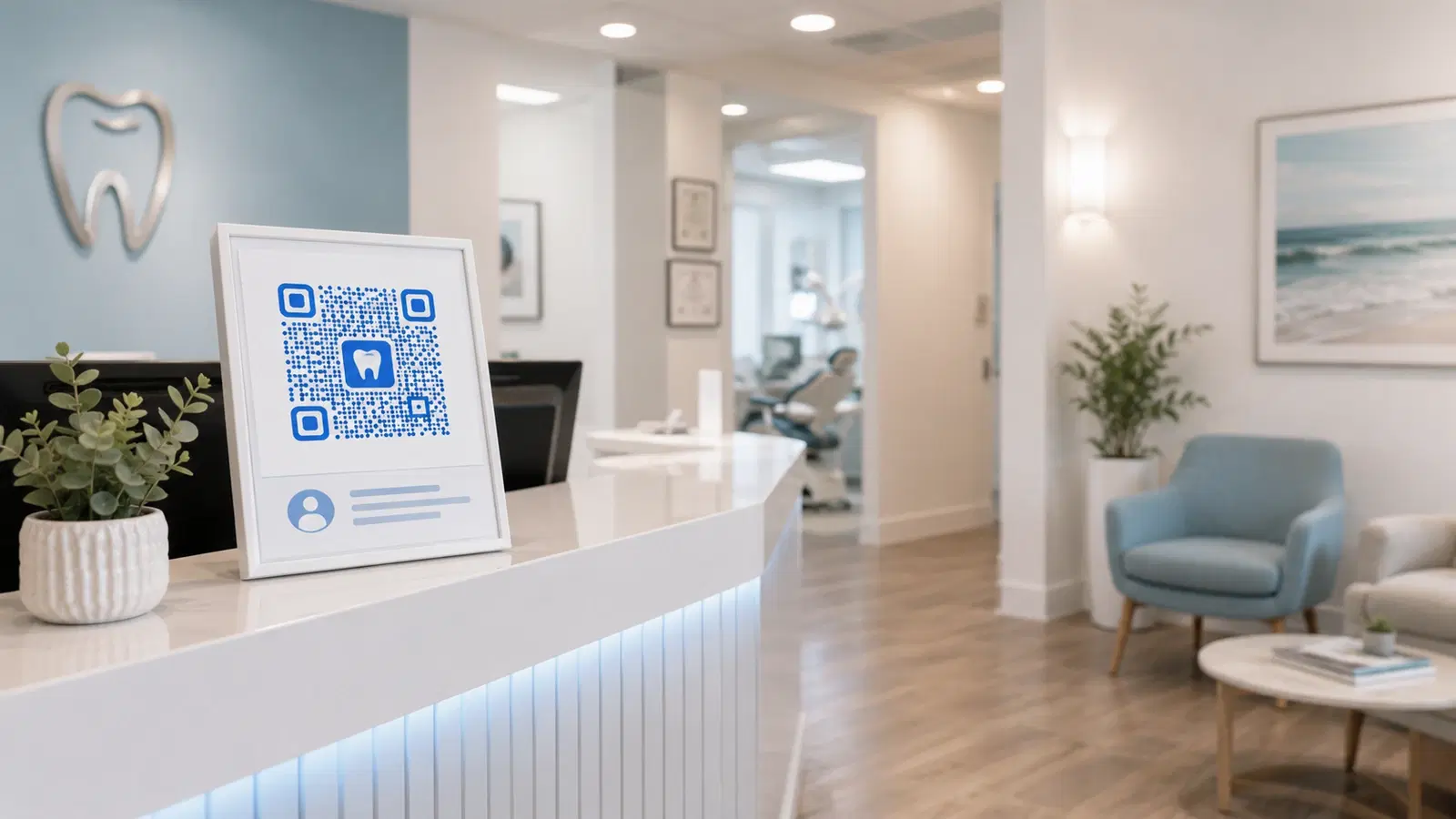
Dental clinics have a unique combination of needs that QR codes are unusually well-suited for: paperwork-heavy patient intake, aftercare instructions patients always forget, ongoing recall/recare reminders, and a competitive Google reviews market in every local area.
This guide is built specifically around the dental workflow, from the patient's first visit through long-term recall, and shows where QR codes save real staff time and capture revenue that otherwise leaks.
It's not theoretical. Each use case here saves either staff hours, paper waste, or missed-revenue events.
Use Case 1: Digital Patient Intake Forms
The most time-consuming part of a dental clinic's front-desk operation is new-patient intake: health history, insurance details, consent forms. Done on paper, this consumes 15–25 minutes per new patient and requires staff to scan and file everything afterward.
The QR code solution:
A QR code at the reception desk that links to your digital intake form. The patient scans on arrival, fills out the form on their own phone in the waiting area, and submits it. Your practice management system receives the data directly.
What this enables:
- New patient walks in, scans QR, completes intake while waiting
- No paperwork to scan and file later
- Form data goes directly into the patient record
- New patient experience starts with "your practice feels modern"
Setup options:
Option A: Your existing PMS handles digital intake. Practice management systems like Curve Dental, Dentrix, Open Dental, or Eaglesoft increasingly support digital patient intake. Your PMS vendor provides an intake form URL. Make a dynamic QR code pointing to it.
Option B: Standalone digital forms. If your PMS doesn't have intake, use a tool like JotForm, Google Forms, or Typeform to build a HIPAA-compliant (in the US) or DPDP-compliant (in India) intake form. Generate a QR code pointing to it.
Option C. Pre-visit email + reception QR. Send a digital form link in the appointment confirmation email. Also have a QR code at reception for patients who didn't fill it out in advance.
Where to place it:
- Reception desk (always visible)
- Mounted near waiting room seats
- On the new-patient information card given at booking
Critical: Use a dynamic QR code. Form URLs change when you upgrade software, switch vendors, or restructure your intake. A static code breaks; a dynamic one redirects to the new form. See how to edit a QR code after printing.
Pro Tip
Time how long your current paper intake takes from form-hand-off to data-in-system. Most practices find the answer is 8–12 staff minutes per new patient. At even 20 new patients per month, that's 3+ staff hours saved monthly with a QR-coded digital intake.
Use Case 2: Post-Treatment Aftercare Instructions
After most dental procedures (extractions, root canals, fillings, deep cleanings), patients receive aftercare instructions. Verbally explained, half is forgotten by the time they get home. Printed on a handout, it gets lost in the car.
A QR code linking to a digital aftercare page solves both.
Setup:
1. Create one short, mobile-friendly aftercare page per procedure type (extraction, root canal, crown, scaling, etc.) 2. Generate a dynamic QR code per procedure 3. Print small cards with the QR code labeled by procedure type 4. Staff hands the appropriate card to the patient after the procedure
What goes on the aftercare page:
- 5–8 simple bullet points (eat soft foods, don't rinse for X hours, etc.)
- Warning signs to watch for (excessive bleeding, swelling beyond X)
- Phone number to call for after-hours concerns
- "When to come back" guidance
Why this works:
- Patient can rescan the card at any point (next morning, when their family asks, etc.)
- Family members can scan too. Useful for elderly patients with caregivers
- Less "is this normal?" phone calls (saves staff time)
- Reduces preventable complications because patients actually read the instructions
Bonus: Track scan rates per procedure type. If your post-extraction QR code is scanned 60% of the time but post-cleaning is 10%, that's diagnostic. Patients pay attention when they're concerned, ignore it when they're not. You may decide post-cleaning aftercare isn't worth printing cards for. See QR code analytics.
For broader healthcare context, see our QR codes in healthcare guide.
Use Case 3: Google Reviews QR Code
For dental practices, Google reviews are the single most important driver of new patient acquisition. A clinic with 150+ reviews at 4.8 stars dominates local search. A clinic with 20 reviews competes only with neighbors at the same level.
Dental patients are happy to leave reviews. Most just don't get asked, or get asked at the wrong moment.
The right moment: At checkout, after payment, when the patient is leaving, not mid-treatment or during pain.
Setup: 1. Get your Google review link (Google Business Profile → "Get more reviews") 2. Create a dynamic QR code pointing to it 3. Print as small cards or attach to the bill receipt 4. Train front-desk staff to mention it briefly at checkout
The ask script for dental: "If you had a good experience today, would you mind scanning this and leaving us a Google review? It really helps other patients find us." Most patients say yes.
Where the QR code lives:
- Printed on receipts
- Small framed sign at checkout
- A small card handed out at the end of long appointments
- In the appointment-confirmation follow-up SMS or email (link, not QR, for SMS)
A common pitfall: Don't ask for reviews during/right after a difficult procedure. Patient discomfort = lower star ratings. Save the ask for routine cleanings, check-ups, and cosmetic visits where the patient is leaving happy.
For a full Google review playbook, see QR code for Google reviews.
Important
Some dentists fall into the trap of asking *every* patient for a review. This generates a mix of 5-star and 1-star reviews and lowers your average. Train staff to ask selectively: patients who are visibly satisfied, not those in pain or upset about billing.
Use Case 4: Appointment Booking & Recall
Dental practices live or die on recall, the patients who come back every 6 months for cleanings. Most "lost patients" simply didn't book their next appointment and then forgot.
Recall reminder QR codes:
The 6-month recall reminder postcard (the classic "Time for your cleaning!") works better with a QR code than a phone number. Patients book on their phone in 30 seconds rather than calling during business hours.
Setup: 1. Create a dynamic QR code pointing to your online booking page 2. Print it on recall postcards/letters 3. Same QR can go on appointment-confirmation emails, SMS, business cards
Why this matters: A phone-number-only recall reminder forces the patient to call during your business hours. Many won't. A QR code lets them book at 11 PM or during their lunch break, when they actually have a moment.
Pre-visit appointment QR codes:
A QR code on your appointment-confirmation SMS or email that takes patients to their booking details (where they can reschedule, see directions, or confirm). Reduces no-shows significantly.
For deeper appointment-booking setup, see QR code for appointment booking.
Bonus Use Cases for Dental Practices
Beyond the four core use cases, these add real value:
WiFi QR code in the waiting room: Patients waiting for an appointment (especially long procedures), appreciate fast WiFi. Display a QR code that connects them automatically. Small touch, surprisingly memorable. See WiFi QR codes guide.
Treatment plan QR code: When a patient gets a multi-visit treatment plan, a QR code on the printed plan that links to a digital version they can refer to at home. Reduces "wait, what's my next appointment for again?" calls.
Insurance and billing FAQ QR code: On the billing counter, a QR code linking to a "how insurance works at our practice" page. Reduces repetitive billing questions.
Practice introduction QR code: On business cards and referral cards from other clinics, a QR code linking to a 60-second "what to expect at our practice" video for new patients.
Specialty referral QR code: If you refer patients to specialists (orthodontists, oral surgeons), a QR code on the referral card linking to the specialist's booking page. Smoother handoff, fewer dropped referrals.
Hygiene products QR code: A small QR code on your hygiene-product display (electric toothbrushes, water flossers if you retail them) linking to product info or an online order. Higher cart conversion than verbal recommendations.
For broader healthcare workflow context, see QR codes in healthcare: patient experience.
- Patient intake form QR: saves 8-12 staff minutes per new patient
- Procedure-specific aftercare QR: reduces "is this normal?" calls
- Google review QR at checkout: drives new-patient acquisition
- Recall reminder QR: lets patients book outside business hours
- WiFi QR in waiting room: small touch with surprising goodwill payoff
- Treatment plan QR: patient can review their plan at home
Compliance Notes for Dental QR Codes
Dental practices handle protected patient information, which means some QR code setups have compliance implications:
Patient intake form QR codes:
- US: The destination form must be HIPAA-compliant. Free Google Forms and JotForm's free tier are typically NOT HIPAA-compliant. Use a paid tier with a BAA (Business Associate Agreement).
- India: Forms collecting health data must comply with DPDP Act 2023. Disclose what data is collected and store securely.
- EU/UK: GDPR applies: explicit consent, right to erasure, etc.
Aftercare instructions:
- Generally not protected health information (they're general instructions, not patient-specific data)
- Standard web hosting is fine
- Don't include patient names or specific case details on shared aftercare pages
Treatment plan QR codes:
- If the page is patient-specific (their actual plan), the URL should be unguessable (not sequential) and the page should require authentication
- Better practice: send the QR code link via secure patient portal, not on a printed card that could be lost
General rule: Anything containing actual patient data must be on a secure platform with appropriate compliance. Anything generic (aftercare for category X, "book an appointment," WiFi access) can be on standard infrastructure.
When in doubt: assume QR codes are public (a lost card means anyone can scan), and design destinations accordingly.
Conclusion
For dental practices, QR codes solve four specific high-value problems: paperwork-heavy patient intake, forgotten aftercare instructions, the Google reviews bottleneck, and missed recall bookings. Each one is a small setup that compounds over hundreds of patient interactions.
The pattern is consistent: replace friction with a scan. A patient who would otherwise wait for paperwork fills it out in the waiting room. A patient who would otherwise call about aftercare scans the card on their nightstand. A patient who would otherwise forget to leave a review does so on the way home.
Done right, this isn't "tech for tech's sake". It's quietly removing the 2-minute friction points that, multiplied across a dental practice, add up to real staff hours and revenue.
Related reading:
Set up your dental practice's first QR code with QRForever. Start a 7-day full-access trial, no credit card. Dynamic codes are editable anytime with full scan analytics, ideal for the highest-value use case (typically patient intake or Google reviews).
Explore QRForever Solutions
Ready to Create Your Own QR Codes?
Start creating dynamic QR codes for your business today. Track analytics, update content anytime, and never reprint again.
Related Articles
QR Code Menus for Restaurants: The Complete Setup Guide (Updated 2026)
Step-by-step guide to implementing QR code menus in your restaurant. Covers menu format options, placement strategy, staff training, and the one mistake that causes reprints. Updated May 2026.
QR Codes for Events: Conferences, Trade Shows & Beyond (Updated 2026)
QR codes turn events from logistical pain into smooth data-rich experiences: instant check-in, smart networking, lead capture for exhibitors, and post-event ROI you can actually prove. Updated May 2026 with the current best practices.
QR Codes on Product Packaging: Engaging Consumers Beyond the Shelf (Updated 2026)
Product packaging is your most-distributed marketing surface. Every unit on every shelf, in every home. QR codes turn that surface into a measurable, updatable channel for engagement, loyalty, and product education. Updated September 2026.