QR Codes for Retail
Bridge physical and digital shopping experiences
Retail QR codes connect in-store shoppers with digital content, promotions, product information, and seamless checkout. Enhance customer engagement and gather valuable data about shopping behavior.
Print once. Update forever.
The whole point of a dynamic QR code for retail: you commit to the print, not to a single link.
Update after it is printed
Change where any QR code points anytime. The printed code itself never changes, so fix a link or swap a menu in seconds.
No reprints, no scan limits
Never reorder prints to correct a typo or a dead link, and there is no cap on how many times your codes get scanned.
Your codes stay live
Every code keeps working for as long as you are subscribed, and your data is never deleted. Pause your plan and redirects pause, never break, then come back instantly.
No credit card required · 7-day full trial · cancel anytime
How Retail Use QR Codes
Real-world applications that drive results in your industry
Product Information
Link to detailed specs, reviews, and tutorials. Help customers make informed decisions.
Price Comparisons
Show online price, availability at other locations, or best deals.
Promotions & Coupons
Scannable discount codes on displays and receipts. Track redemption rates.
Inventory Lookup
Check stock at other locations or online availability instantly.
Loyalty Programs
Digital rewards, points collection, and personalized offers.
Virtual Try-On
Link to AR experiences for clothing, furniture, or accessories.
Key Benefits
QRForever Solutions for Retail
Explore our products tailored for your needs
Make a free QR code for Retail
Generate a permanent QR code in your browser, no signup, no expiry. Choose URL, vCard, WiFi, or Text. Download as PNG or SVG.
Enter your URL
Tip: include https:// so the QR opens the link correctly when scanned.
Customize
Your QR code will appear here
We'll pre-fill the dynamic version with everything you set above.
Always free · No signup · No expiry
Looking for more options? Open the full QR generator
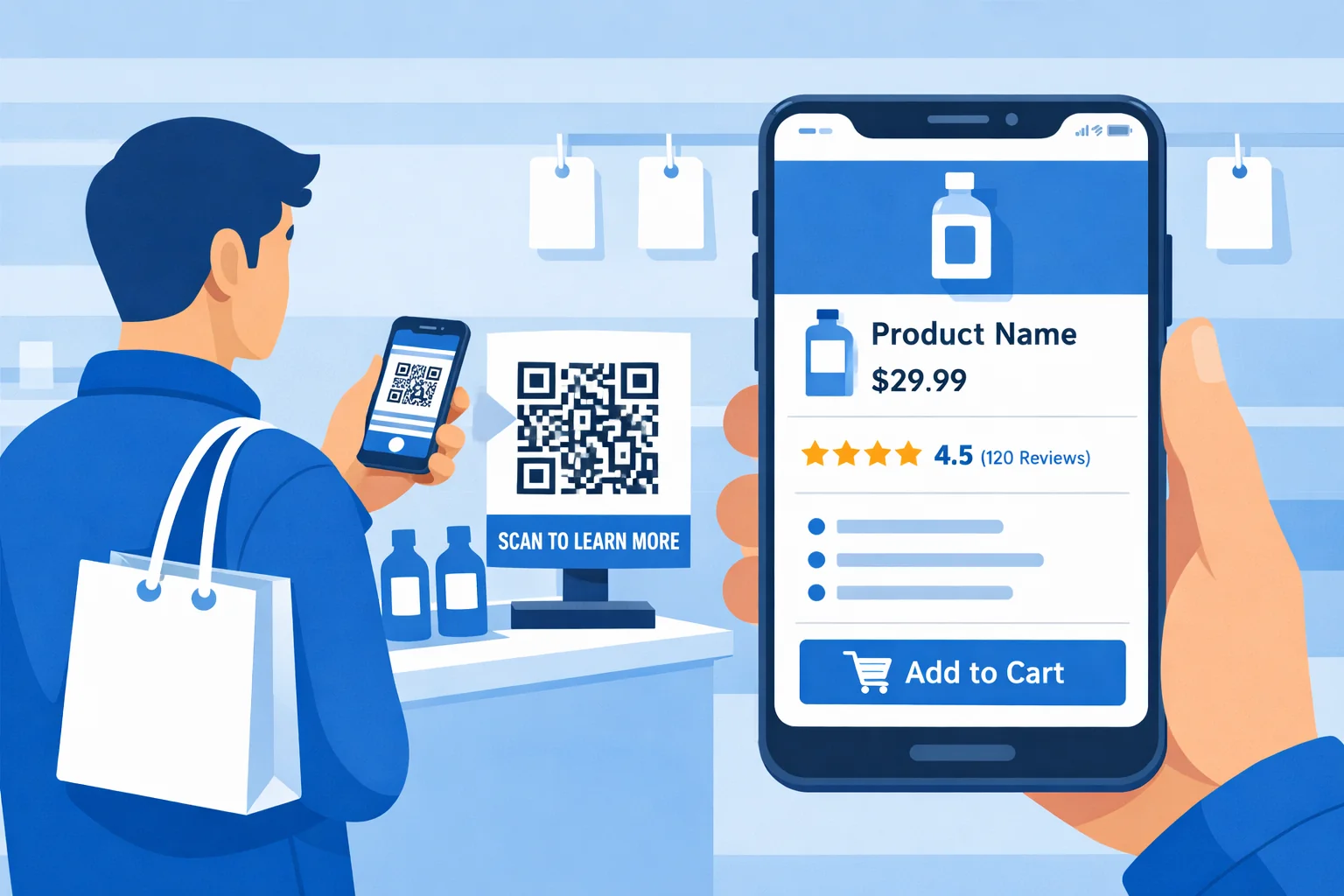
Retail QR Codes: Connecting Physical and Digital Shopping
Modern retail is an omnichannel experience, and QR codes serve as the bridge between physical stores and digital engagement. When customers scan a product tag, shelf display, or promotional poster, they instantly access a world of information that enriches their shopping experience. Product specifications, customer reviews, styling suggestions, inventory at other locations: all available with a single scan.
For retailers, QR codes solve the "showrooming" problem by keeping customers engaged in-store rather than losing them to online competitors. By providing the same depth of information customers would find online (plus exclusive in-store offers), retailers turn potential losses into completed sales. The analytics from QR scans also provide valuable insights into customer behavior that can inform merchandising and marketing decisions.
The versatility of retail QR codes extends beyond product information. Smart retailers use them for loyalty program enrollment that takes seconds instead of minutes, promotional campaigns that track redemption rates by location, and augmented reality experiences that let customers visualize products in their homes. Each application adds value to the shopping experience while generating data that improves business operations.
Increased Conversions
Product QR codes with detailed information convert browsing customers into buyers at a 23% higher rate.
Omnichannel Integration
Connect in-store shoppers to online inventory, wishlists, and personalized recommendations.
Reduced Returns
Customers with better product information make more informed purchases, reducing return rates by 15%.
Marketing Attribution
Track which displays, locations, and campaigns drive the most engagement and sales.
How to Set Up QR Codes for Retail
A practical, step-by-step walkthrough you can follow today, no design or technical skills needed.
- 1
Pick the job each code does
Decide whether a code drives product detail, a promotion, or loyalty signup before you design anything. A shelf-edge code that links to specs and reviews behaves very differently from a poster code that drops a coupon, and mixing them confuses both the shopper and your reporting.
- 2
Build the destination for a phone in a store
Point product codes at a fast-loading mobile page with the size chart, reviews, and a clear add-to-cart or stock-check action. Shoppers scan one-handed while holding the item, so the landing page has to load and answer their question in seconds.
- 3
Brand the code and size it to the fixture
Add your store logo and brand color so the code looks like signage, not vandalism. Print small for shelf talkers and hangtags, and much larger for endcap posters and window displays where customers scan from across an aisle.
- 4
Place codes where the decision happens
Put product codes on the shelf edge and hangtags, promo codes on endcaps and receipts, and loyalty codes at the fitting room and checkout queue. Match the code to the exact moment the shopper is weighing a purchase.
- 5
Track redemption and repoint seasonally
Watch which displays and locations actually generate scans, then retire the dead ones. When a promotion ends, edit the same code to point at the next campaign instead of reprinting every shelf talker in the store.
Retail QR works best when each code is tied to a specific decision moment rather than scattered as generic 'scan for more.' A shelf-edge code on a high-consideration item, think electronics or anything with a spec sheet, lets a shopper pull reviews and a compatibility check without leaving your aisle, which directly counters losing them to a phone search. A separate promo code on an endcap or receipt does a different job and should report separately. Because the destinations are editable, a single set of printed hangtags can carry a back-to-school offer one month and a holiday bundle the next, so the print run amortizes across campaigns instead of being thrown away.
The analytics layer is where retail QR earns its keep over a plain printed sign. When the downtown store and the mall store each have their own code for the same window display, the scan counts tell you which location and which creative actually move shoppers, and that feeds real merchandising and signage decisions. Loyalty is the highest-leverage placement most stores under-use: a dedicated enrollment code at the fitting room or checkout queue captures members in the dead time they are already standing there, far more effectively than a buried link. Keep these jobs on distinct codes so product interest, promo redemption, and loyalty signups never blur together in your reports.
Pro tips for Retail
- Give each store location its own code for the same display, even if they land on the same page. Otherwise you cannot tell whether the downtown shop or the mall location is driving the campaign, and you lose the merchandising insight.
- Counter showrooming with an in-store-only offer behind the code, not just the same info the customer could pull up on a competitor's site. The reason to scan your code instead of price-checking elsewhere is the exclusive.
- Keep loyalty signup behind its own code at the fitting room or queue. Burying enrollment inside a product page costs you the seconds-long signup that turns a one-time buyer into a member.
- Use a dynamic code on printed hangtags and shelf talkers. Print runs are expensive and slow, so being able to repoint a hangtag code from one promo to the next is what makes printing them worthwhile.
- Avoid codes on glossy, curved, or reflective packaging without testing. A code wrapped around a bottle or printed on a high-gloss box often fails the scan even though it looks fine flat.
Frequently Asked Questions
How are QR codes used for retail?
QR codes for retail are commonly used for Product Information, Price Comparisons, Promotions & Coupons, Inventory Lookup, Loyalty Programs, and Virtual Try-On - all powered by dynamic QR codes you can update anytime without reprinting.
Can I update a QR code for retail after it is printed?
Yes. QRForever creates dynamic QR codes, so you can change where a QR code for retail points (link, menu, file, or contact details) anytime without reprinting. The printed code never changes - only its destination.
Do QR codes for retail expire?
No. QRForever QR codes are permanent and do not expire on a timer the way many free generators' codes do. They stay live for as long as you are subscribed, and your data is never deleted even if a subscription lapses.
How much do QR codes for retail cost? Is there a free trial?
QRForever offers a 7-day full-access free trial with no credit card required, so you can set up your QR codes for retail before paying. Paid plans then include unlimited dynamic QR codes, real-time analytics, and custom branding, with localized pricing in INR and USD. Current prices: https://qrforever.com/pricing
Ready to Transform Your Business?
Start creating QR codes tailored for your industry today.
QR Codes for Other Industries
Restaurants
Real Estate
Healthcare
Schools & Education
Events
Wedding Invitations
Trade Shows
Business Cards
Product Packaging
Marketing Agencies
Nonprofits
Churches
Gyms and Fitness Studios
Spas and Salons
Car Dealerships
Schools and Classrooms
Instagram Bio Links
YouTube Channels
Podcasts
Resumes and Portfolios
Hotels and Hospitality
Travel and Tourism
Construction and Contractors
Museums and Art Galleries
Automotive Service Centers