QR Code Generator for Schools & Education
Enhance learning with digital resources
Educational QR codes connect students to supplementary materials, streamline attendance, enable campus navigation, and create interactive learning experiences. Perfect for schools, universities, and training programs.
Print once. Update forever.
The whole point of a dynamic QR code for schools & education: you commit to the print, not to a single link.
Update after it is printed
Change where any QR code points anytime. The printed code itself never changes, so fix a link or swap a menu in seconds.
No reprints, no scan limits
Never reorder prints to correct a typo or a dead link, and there is no cap on how many times your codes get scanned.
Your codes stay live
Every code keeps working for as long as you are subscribed, and your data is never deleted. Pause your plan and redirects pause, never break, then come back instantly.
No credit card required · 7-day full trial · cancel anytime
How Schools & Education Use QR Codes
Real-world applications that drive results in your industry
Learning Materials
Link to videos, simulations, and supplementary content in textbooks.
Attendance Tracking
Quick scan attendance replaces roll calls. Auto-generate reports.
Campus Navigation
Help new students and visitors find classrooms and facilities.
Assignment Submission
Scan to access submission portals and assignment details.
Library Resources
Quick access to e-books, databases, and research materials.
Event Information
Campus events, club activities, and sports schedules.
Key Benefits
QRForever Solutions for Schools & Education
Explore our products tailored for your needs
Make a free QR code for Schools & Education
Generate a permanent QR code in your browser, no signup, no expiry. Choose URL, vCard, WiFi, or Text. Download as PNG or SVG.
Enter your URL
Tip: include https:// so the QR opens the link correctly when scanned.
Customize
Your QR code will appear here
We'll pre-fill the dynamic version with everything you set above.
Always free · No signup · No expiry
Looking for more options? Open the full QR generator
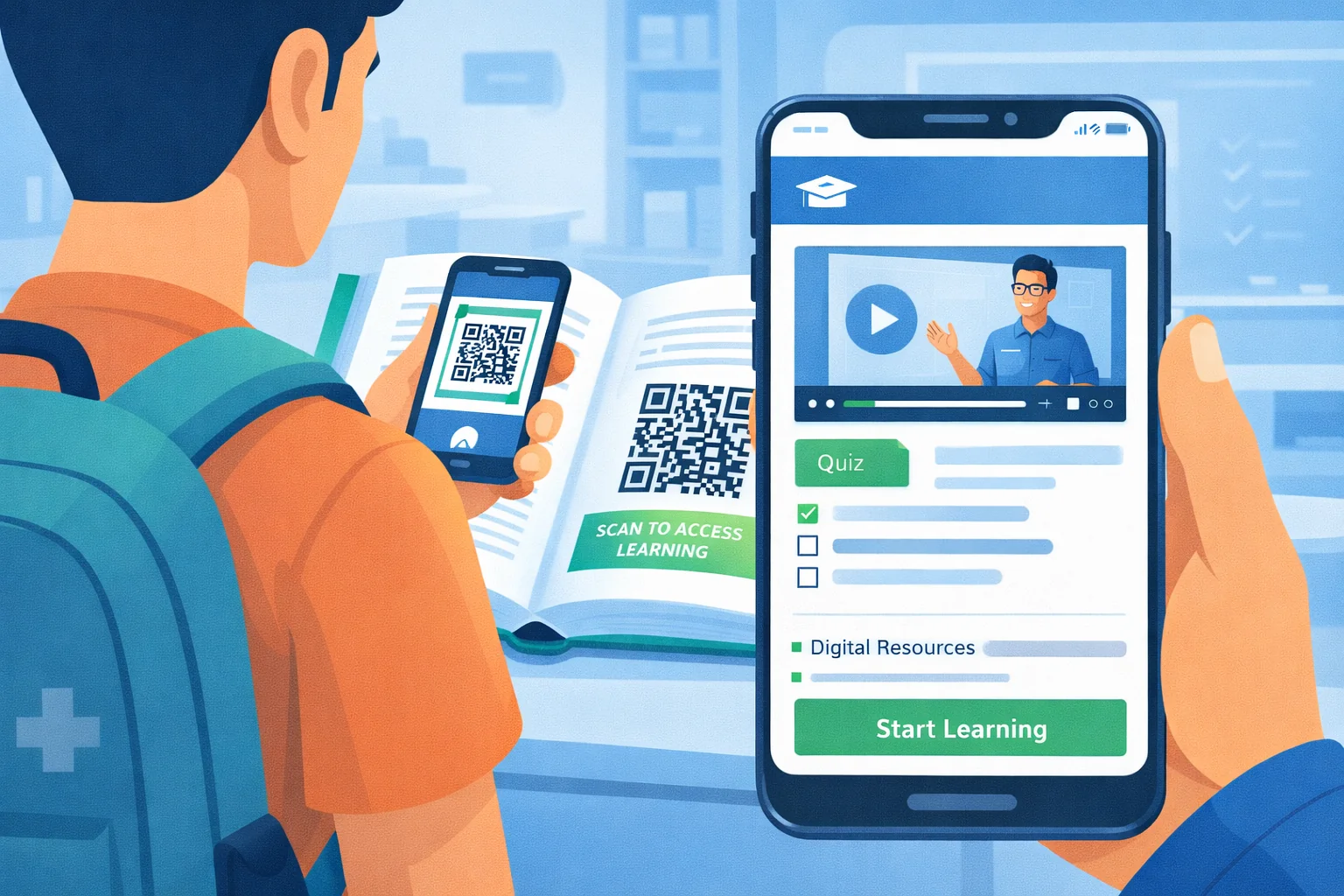
QR Codes in Education: Creating Interactive Learning Experiences
Education is being transformed by digital technology, and QR codes serve as an accessible bridge between physical learning materials and rich digital content. A QR code in a textbook can link to a video demonstration. A code on a museum exhibit can provide audio narration. A code on a campus poster can connect students to event registration. These simple implementations create powerful learning opportunities.
For educators, QR codes solve practical classroom challenges. Attendance taking, which typically consumes 5-10 minutes of each class, becomes a quick scan that auto-logs students. Assignment distribution becomes a QR code that links directly to the submission portal. Resource sharing becomes a code that students scan to access videos, simulations, and supplementary materials. Each application saves time and increases engagement.
Campus-wide, QR codes improve the student experience in countless ways. New student orientations use QR codes for building navigation. Libraries use them for quick access to digital resources. Career centers use them on job postings for instant application links. The technology is familiar, accessible on any smartphone, and requires no app installation: making it ideal for educational environments.
Interactive Learning
Link printed materials to videos, simulations, and interactive content that deepens understanding.
Efficient Attendance
Replace time-consuming roll calls with QR scan attendance that saves 15+ minutes per class.
Resource Access
Give students instant access to library databases, e-books, and research materials.
Campus Navigation
Help new students and visitors find buildings, offices, and facilities easily.
QR Code Generator for Schools, Colleges & Training Programs
The reason schools choose a dynamic QR code generator over a basic one comes down to reprinting. A code on a laminated classroom poster, a student handbook, or a hallway sign is expensive to replace. With dynamic codes, when the assignment portal moves or the timetable link changes, you update the destination in the dashboard and every printed code keeps working. The 7-day free trial gives full access, so a teacher or administrator can set up and test codes before the school commits to anything.
If you only need one quick code for a permanent link, such as the school website on a newsletter, the free static QR code generator creates it in seconds with no signup, and the code never expires.
Larger institutions often need codes at scale: one per classroom for attendance, one per department for resource pages, or one per course in a training catalog. Bulk QR creation generates those in one pass instead of one at a time, keeping naming consistent across departments.
How to Set Up QR Codes for Schools & Education
A practical, step-by-step walkthrough you can follow today, no design or technical skills needed.
- 1
Identify the materials worth linking
Pick the printed and physical items students already touch: handouts, worksheets, lab benches, library shelves, hallway posters. Create a code for each destination, a demo video, a submission portal, a resource database, so every code maps to one clear action rather than a vague 'more info.'
- 2
Point codes at no-login-friendly destinations where possible
Link to a video, a public resource page, or your LMS submission portal. The less friction between scan and content, the more students actually use it, so reserve logged-in destinations for things that genuinely need authentication like grades or submissions.
- 3
Brand codes and place them on handouts and signage
Add the school or department color and a short prompt like 'Scan for the lab video.' Print small codes on worksheets and handouts, and large codes on campus-navigation posters and event boards where students scan from a distance.
- 4
Size and test for the classroom and the corridor
A code on a worksheet is scanned at desk distance and can be small, but a building-navigation code on a hallway poster must be large enough to read across a corridor. Test both on a few student phones before printing a class set.
- 5
Update content across terms without reprinting
When you swap a video, update a reading, or move an assignment portal, edit the code's destination and last term's printed handout still works. Check scan counts to see which supplementary resources students actually open.
The most effective classroom QR usage is granular rather than catch-all. One code per resource, the exact demonstration video next to the lab step, the specific reading beside the textbook diagram, the submission portal printed on the assignment, means a single scan delivers the precise thing a student needs at that moment, which drives actual use. Dumping students into a shared folder of everything recreates the friction the code was meant to remove. Because each destination is editable, the same worksheet or course packet carries forward across terms: when this year's video replaces last year's, you repoint the code and the existing handouts stay valid, so good printed materials get spread over multiple cohorts instead of reprinted annually.
Beyond the classroom, QR codes smooth the parts of campus life that frustrate new students and visitors. Building-finder and wayfinding posters, sized for corridor-distance scanning, get first-years to the right room without an app install, and the scan data shows which junctions and events actually draw attention. The one consideration worth designing around is access equity: assignment portals and graded work belong on clearly labeled, authenticated codes, while permission slips, forms, and anything a family must complete should always keep an obvious non-digital fallback, since smartphone access is not universal across every household. Used this way, the QR is an additive shortcut that saves class time and improves navigation rather than a gate that excludes anyone.
Pro tips for Schools & Education
- Print one code per resource on a worksheet, not a single code linking to a folder of everything. A direct code to the exact demo video gets used; a code that dumps students into a cluttered drive does not.
- Use a dynamic code on anything you reprint each term, like lab handouts or course packets. You can repoint the same printed code to this year's updated video without reissuing the document.
- Size hallway and campus-navigation codes for distance and test them. New students scan building-finder posters from across a corridor, and a worksheet-sized code on a wall poster is the most common reason wayfinding scans fail.
- Keep authenticated destinations, like assignment submission, on their own clearly labeled code. Mixing a public resource link and a login-required portal under similar codes frustrates students who do not know which scan needs their credentials.
- Avoid sending permission slips or forms that need a signature to a code without a clear non-digital fallback. Not every family has equal smartphone access, so the code should add a faster path, not remove the paper one.
Frequently Asked Questions
How are QR codes used for schools & education?
QR codes for schools & education are commonly used for Learning Materials, Attendance Tracking, Campus Navigation, Assignment Submission, Library Resources, and Event Information - all powered by dynamic QR codes you can update anytime without reprinting.
Can I update a QR code for schools & education after it is printed?
Yes. QRForever creates dynamic QR codes, so you can change where a QR code for schools & education points (link, menu, file, or contact details) anytime without reprinting. The printed code never changes - only its destination.
Do QR codes for schools & education expire?
No. QRForever QR codes are permanent and do not expire on a timer the way many free generators' codes do. They stay live for as long as you are subscribed, and your data is never deleted even if a subscription lapses.
How much do QR codes for schools & education cost? Is there a free trial?
QRForever offers a 7-day full-access free trial with no credit card required, so you can set up your QR codes for schools & education before paying. Paid plans then include unlimited dynamic QR codes, real-time analytics, and custom branding, with localized pricing in INR and USD. Current prices: https://qrforever.com/pricing
Is there a QR code generator specifically for schools and teachers?
Yes. QRForever works as a QR code generator for schools, colleges, and training programs: teachers create dynamic codes for worksheets, assignment portals, and classroom resources, and administrators use them for attendance, campus navigation, and event pages. Because the codes are dynamic, a code laminated on a classroom wall can point to this week's material and be updated every week without reprinting. There is a 7-day full-access free trial, and for a single quick code the free static generator needs no signup at all.
Can students scan QR codes without downloading an app?
Yes. The built-in camera on iPhones and Android phones scans QR codes natively, so students, parents, and staff do not need to install anything. They point the camera at the code and tap the link that appears. This works for school-owned tablets too, since iPads and most Android tablets include the same camera-based scanning. For older devices without native scanning, any free QR scanner app works, but for the vast majority of school communities no app is required.
Ready to Transform Your Business?
Start creating QR codes tailored for your industry today.
QR Codes for Other Industries
Restaurants
Retail
Real Estate
Healthcare
Events
Wedding Invitations
Trade Shows
Business Cards
Product Packaging
Marketing Agencies
Nonprofits
Churches
Gyms and Fitness Studios
Spas and Salons
Car Dealerships
Schools and Classrooms
Instagram Bio Links
YouTube Channels
Podcasts
Resumes and Portfolios
Hotels and Hospitality
Travel and Tourism
Construction and Contractors
Museums and Art Galleries
Automotive Service Centers