QR Code Privacy: What Data Is (and Isn't) Tracked When You Scan (2026)
Scanning a QR code does not give anyone your name, phone number, or identity. Here is an honest, plain explanation of exactly what is and is not tracked when you scan, for both people who scan codes and businesses that create them.

There is a lot of vague anxiety about QR code privacy, and very little clear information. People wonder whether scanning a code gives a business their phone number, their identity, or access to their device. Businesses, meanwhile, are often unsure what they are actually allowed to know about their scanners.
The honest answer is reassuring in some ways and worth understanding in others. Scanning a QR code does not hand over your name, your phone number, your contacts, or your identity. It does not install anything or give anyone access to your device. But it is not entirely invisible either: a scan does reveal some anonymous, technical information, and it is fair for people to know exactly what.
This guide explains plainly what is and is not tracked when a QR code is scanned. It is written for both sides: people who want to know what they are giving away, and businesses that want to use analytics honestly and legally.
What a QR Code Scan Does NOT Reveal
Let us start with the reassuring part, because a lot of the anxiety is misplaced. Scanning a QR code does not give anyone:
Your name. A scan is anonymous. The business sees that *someone* scanned, not who.
Your phone number. Scanning does not transmit your number. A business cannot call or text you because you scanned their code.
Your email address. Not revealed by a scan.
Your contacts, photos, or files. Scanning a code does not grant any access to your device's contents.
Your precise location. A scan does not share your GPS position. (Approximate, city-level location can often be inferred from your IP address, which is different and covered below.)
Your identity across sites. A QR scan by itself does not link you to a personal profile.
Nothing is installed. Scanning a code opens a link, exactly like tapping a link in a text message. It does not install software or "hack" your phone.
The critical clarification: A QR code is just a link, encoded visually. Scanning one is functionally the same as typing a web address into your browser. Whatever privacy exposure exists is the *same exposure as visiting any website*, no more. The QR code itself is not a tracking device; it is a way of typing a URL without typing.
The one real caveat: What happens *after* you land on the page is a separate matter. If the destination page asks you to fill in a form, log in, or grant permissions, that is the website collecting data, not the QR code. And a malicious code can send you to a malicious site, which is a security issue rather than a tracking one. See our QR code security guide.
What a Scan Actually Does Reveal
Now the honest part. When you scan a dynamic QR code (one that routes through a redirect service), the platform records some anonymous technical information. Here is exactly what:
That a scan happened, and when. A timestamp. This is how businesses count scans.
Approximate location, from your IP address. Usually country and city level. This is the same information any website you visit can infer. It is not GPS, not a street address, and not precise. "Someone in Mumbai scanned this" is the granularity, not "someone at this address."
Device type. Whether you scanned on a mobile phone, tablet, or desktop.
Operating system and browser. For example, iOS or Android, Safari or Chrome.
Sometimes, a rough repeat-visitor signal. Platforms may estimate whether a scan is likely from a returning device, to distinguish "unique scans" from total scans. This is approximate, not a confirmed identity.
What all of this has in common: It is anonymous, technical, and aggregate. It tells a business *how many* people scanned, roughly *where* from, and on *what kind of device*. It does not tell them *who*.
And crucially, this is the same data any website collects. Visit any web page and the site can see your approximate location from your IP, your device, your browser, and your OS. QR code analytics are not a special surveillance layer. They are ordinary web analytics applied to a link that happened to be reached by scanning rather than clicking.
Static codes reveal nothing at all. If you scan a *static* QR code (with the destination encoded directly, no redirect), the code's creator gets no analytics whatsoever. There is no checkpoint to record the scan. Only the destination website sees you, exactly as if you had typed its address. See dynamic vs static QR codes.
- Scan count and timestamp
- Approximate location (country/city) from IP, not GPS
- Device type (mobile, tablet, desktop)
- Operating system and browser
- An approximate repeat-vs-new signal
- All anonymous, all the same as ordinary website analytics
For People Who Scan: How to Stay Safe
Given all that, the realistic privacy risks of scanning are modest, but the *security* risks deserve genuine care. Here is what actually matters:
The real risk is not tracking. It is malicious destinations. The thing worth worrying about is not that a business will learn your city. It is that a fraudulent code might send you to a phishing page designed to steal your credentials or payment details. This is a documented scam, sometimes called quishing.
Practical habits worth having:
Check the URL before proceeding. Most phones show you the destination link before opening it. Glance at it. Does it match the business you expect? A restaurant's menu code should not lead to a domain you have never heard of.
Be wary of codes on stickers. A code printed as part of official signage, a menu, or packaging is probably legitimate. A code on a sticker slapped over something else is a genuine red flag. Fraudsters place fake payment codes over real ones.
Never enter passwords or payment details on a page you reached by scanning an unexpected code. Legitimate businesses do not ask you to log in to your bank because you scanned a poster.
Be skeptical of unsolicited codes. A code in a random email, on a flyer that arrived unrequested, or in a parking meter that looks tampered with deserves suspicion.
The reasonable summary: Scanning a QR code is about as risky as clicking a link. You should apply the same judgment you would apply to a link, no more paranoia and no less care. The QR code is not spying on you. But it can, like any link, take you somewhere you should not go.
Important
The genuine QR code danger is not privacy tracking. It is fraudulent codes leading to phishing or fake payment pages, especially fake codes stuck over legitimate ones. Always check the URL before proceeding, and never enter credentials or payment details on a page you reached from an unexpected code.
For Businesses: Using QR Analytics Honestly and Legally
If you create QR codes, you inherit some responsibility. Here is how to handle it properly.
Be honest about what you collect. You are collecting anonymous, aggregate scan data. That is legitimate and useful. Do not imply to customers that it is more than that, and do not pretend it is nothing. Honesty is both correct and easy here, because the truth is genuinely reasonable.
Respect the applicable law. Data protection rules apply to QR analytics as they do to any web analytics:
- GDPR (EU/UK): IP addresses can be considered personal data. Ensure your platform and privacy policy handle this appropriately, and disclose analytics in your privacy policy.
- DPDP Act (India): Applies to personal data handling. Disclose what you collect.
- Other jurisdictions: Similar principles generally apply.
The practical requirement is usually straightforward: mention in your privacy policy that you use QR scan analytics, describe what is collected (anonymous scan data, approximate location, device type), and use a reputable platform that handles compliance properly.
Never try to de-anonymize scanners. QR analytics give you aggregate patterns. Do not attempt to combine them with other data to identify individuals. Beyond being legally risky, it violates the reasonable expectation of the person who scanned.
Do not put personal or confidential data behind a QR code without authentication. This is a common and serious mistake. A QR code is effectively public: anyone who sees it can scan it. Never link a code directly to confidential documents, patient records, client files, or personal data. Link to an authenticated portal instead, and let the login protect the data.
Handle payment and sensitive codes carefully. If you display payment QR codes, physically check them regularly to ensure nobody has covered them with a fraudulent code. This protects your customers and your reputation.
The standard to hold yourself to: Collect what genuinely helps you improve (scan counts, placements that work, device patterns), disclose it plainly, protect anything sensitive behind authentication, and never try to learn more about an individual than they knowingly gave you.
Conclusion
The honest answer to "what does a QR code know about me?" is: very little, and nothing personal. Scanning does not reveal your name, your number, your identity, or your device's contents. It does not install anything. A QR code is a visually encoded link, and scanning one exposes you to exactly what visiting any website exposes you to, no more.
What a dynamic code's owner does see is anonymous and technical: that a scan happened, roughly when, approximately from where (city level, from your IP), and on what kind of device. That is ordinary web analytics, not surveillance. Static codes reveal even less: nothing at all to their creator.
The risk worth taking seriously is not tracking. It is fraudulent codes leading somewhere malicious, particularly fake codes placed over legitimate ones. Check the URL, be wary of stickers, and never enter credentials on a page reached from an unexpected scan.
And if you create QR codes, the standard is simple: collect the aggregate data that genuinely helps, disclose it plainly in your privacy policy, keep anything confidential behind authentication rather than behind a code, and never try to work out who an individual scanner was.
Related reading:
Create a QR code with transparent, privacy-respecting analytics. Start a 7-day full-access trial, no credit card needed. Anonymous, aggregate scan data only, exactly as it should be.
Explore QRForever Solutions
Ready to Create Your Own QR Codes?
Start creating dynamic QR codes for your business today. Track analytics, update content anytime, and never reprint again.
Related Articles
QR Code Security: How to Protect Yourself from Quishing and Scams (2026)
Quishing (QR phishing) attacks have surged 500%+, and unlike email links, you can't hover over a QR code to check where it goes. This 2026 guide covers how to spot fake QR codes, protect your business's codes from being replaced, and what to do if you've already scanned one.
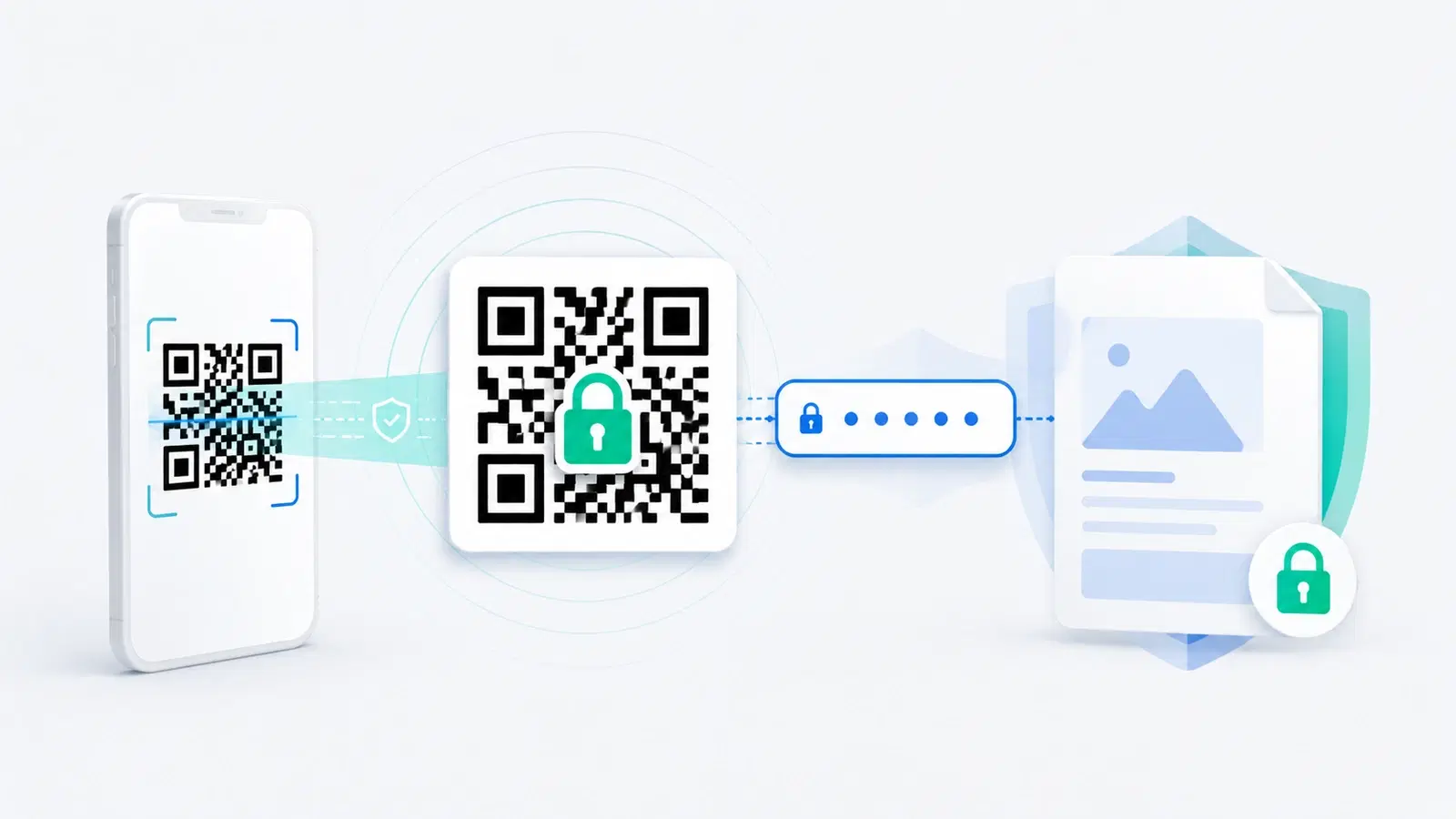
Password-Protected QR Codes: How to Secure a QR Code (2026)
Sometimes a QR code should not open for just anyone who scans it. Password protection adds a gate between the scan and the content, so only people with the password get through. Here is how password-protected QR codes work and when to use them.