Password-Protected QR Codes: How to Secure a QR Code (2026)
Sometimes a QR code should not open for just anyone who scans it. Password protection adds a gate between the scan and the content, so only people with the password get through. Here is how password-protected QR codes work and when to use them.

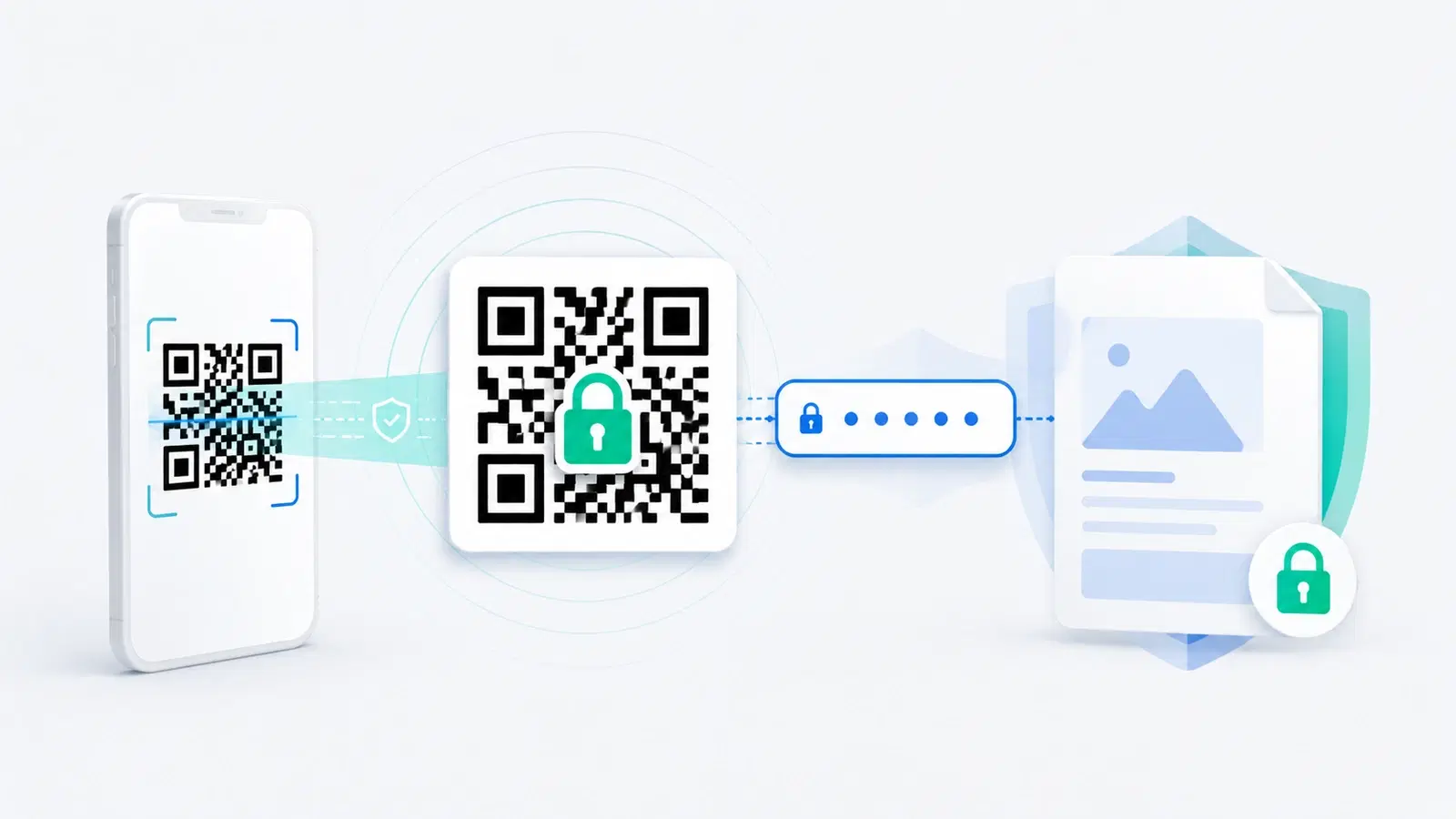
A normal QR code is open by design: anyone who scans it goes straight to the content. That is exactly what you want for a menu or a poster. But sometimes it is exactly what you do not want, for a confidential document, a members-only offer, an internal resource, or a file that should not be public just because someone photographed the code.
Password-protected QR codes solve this. Instead of the scan leading straight to the content, it leads to a gate: the scanner is asked for a password, and only the right password lets them through. It turns a public code into a private one without changing how it looks or how it is scanned.
This guide explains how password-protected QR codes work in 2026, the real situations where they earn their place, the limits you must understand so you do not over-trust them, and how to set one up. If your concern is instead about staying safe when scanning unknown codes, that is a different topic covered in our QR code security guide.
How Password-Protected QR Codes Work
The mechanism is simpler than it sounds, and understanding it tells you exactly what protection you are and are not getting.
The password lives at the destination, not in the code. This is the key point. The QR code itself does not contain the password or the protected content. Like any dynamic QR code, it points to a redirect link. That link leads to a gate page that asks for a password. Only after the correct password is entered does the gate reveal the actual content. The code is just a doorway; the lock is on the page behind it.
Why it must be a dynamic code. Because the protection lives at the destination, password protection only works with dynamic QR codes, the kind that redirect through a link you control. A static code bakes its content directly into the pattern, so there is nowhere to put a gate; anyone who decodes the pattern has the content. See dynamic vs static QR codes for the underlying distinction.
What the scanner experiences: 1. They scan the code with a normal phone camera, exactly as always. 2. Instead of the content, they see a simple page asking for a password. 3. They enter the password you gave them. 4. The correct password reveals the content; a wrong one does not.
What this gives you: A code you can print or share publicly, on a wall, in an email, on a card, while the content behind it stays restricted to people who have the password. The code being visible no longer means the content is exposed.
When to Use a Password-Protected QR Code
Password protection is not for everyday codes; it is for the specific cases where a scan should not equal access. Here is where it genuinely helps.
Confidential documents. A QR code linking to a contract, a price list, an internal report, or an unreleased document, where you want the convenience of a scannable link but not public exposure. The code can sit in an email or on a printed sheet while the document stays gated.
Members-only or paid content. A code that leads to exclusive content for members, subscribers, or paying customers, where the password (shared only with them) keeps non-members out even if they see the code.
Internal and staff resources. Codes posted in a workplace, on equipment, in a back office, that link to internal procedures, credentials, or systems staff should reach but the public should not, even though the code is physically visible.
VIP or gated experiences. Event access, exclusive offers, or private RSVPs where you want to hand out a code widely but only let the right people through.
Sensitive personal or medical information. Codes that link to information which should reach an authorized person but must not be readable by anyone who happens to scan the code.
When NOT to bother: For anything meant to be public, a menu, a marketing page, a review link, a WiFi code for guests, password protection just adds friction and reduces scans. Use it only when restriction is the actual goal. Adding a gate to content that should be open is a self-inflicted conversion problem.
- Confidential documents you want scannable but not public
- Members-only, subscriber, or paid content
- Internal staff resources on physically visible codes
- VIP access, gated offers, and private RSVPs
- Sensitive personal or medical information for authorized eyes only
- NOT for public content: it only adds friction and costs you scans
The Limits You Must Understand
Password protection is genuinely useful, but over-trusting it is a mistake. Be honest about what it is: a convenience gate, not high-security encryption.
It is a deterrent, not a vault. Password protection keeps out the casual and the unauthorized. It is not designed to withstand a determined attacker the way encrypted, access-controlled enterprise systems are. For truly high-stakes secrets, a QR code gate is not the right tool; a proper secure system with individual authentication is.
A shared password is only as safe as the people who have it. If you give the same password to fifty people, any one of them can pass it on. Shared passwords leak. For content where you need to know exactly who accessed it, or to revoke one person, a single shared password cannot do that; you would need individual accounts, which is closer to the team and permissions model.
The link can still be shared once opened. Once someone passes the gate, they can often share the underlying content or link with others. The password controls the door, not what people do after they walk through it.
Choose a real password. The protection is only as strong as the password. "1234" or "password" defeats the purpose. Use something not easily guessed, and change it if it may have leaked.
Privacy still applies. Gating content does not exempt you from handling any personal data behind it responsibly. See what data QR codes track.
None of this means password protection is weak for its purpose; it means you should match it to the right job: keeping ordinary content private and convenient, not guarding state secrets.
Important
Do not treat a password-protected QR code as encryption for highly sensitive data. It is a convenience gate that stops casual and unauthorized access, not a hardened security system. For genuinely high-stakes information, use a proper access-controlled system with individual authentication, not a shared QR password.
How to Set One Up
Creating a password-protected QR code is straightforward on a platform that supports it. The steps are the same in principle regardless of provider.
The general process: 1. Create a dynamic QR code. Password protection requires a dynamic code, since the gate lives at the redirect destination. 2. Set the destination to the content you want to protect (a page, a document, a file). 3. Enable password protection and set a strong password. This is usually a toggle or setting on the code. 4. Test it yourself. Scan the code, confirm the gate appears, enter the password, and confirm the content is revealed. Try a wrong password to confirm it is rejected. 5. Share the password separately from the code, and only with the people who should have access. Never print the password next to the code, which would defeat the entire purpose.
Practical tips:
- Keep the code and password apart. The code can be public; the password must not be. Putting them together is the most common mistake.
- Change the password when the audience changes. If access should end for a group, or a password may have leaked, update it. Because the code is dynamic, the code stays the same while the password changes.
- Design the code normally. Password protection does not change how the code looks or scans; follow standard sizing and design rules so it scans reliably.
- Communicate the gate. A small note like "scan and enter your access code" sets expectations, so scanners are not surprised by the password prompt and abandon it.
Set up this way, you get the best of both: a code you can distribute freely and content that stays restricted to the people you choose.
Pro Tip
The golden rule of password-protected codes: never display the password next to the code. The code is the public part; the password is the private part. Print or post the code anywhere you like, but deliver the password through a separate channel to only the people who should get in.
Conclusion
Password-protected QR codes close the gap between a code being visible and its content being public. By putting a password gate at the destination, they let you print or share a code freely while keeping the content behind it restricted to people who have the password. Because the protection lives at the destination, they only work with dynamic codes.
They earn their place for confidential documents, members-only and paid content, internal staff resources, VIP access, and sensitive information, anywhere a scan should not automatically mean access. For public content, they only add friction, so use them only when restriction is genuinely the goal.
Understand the limits: this is a convenience gate, not encryption. A shared password can leak, an opened link can be passed on, and highly sensitive data belongs in a properly access-controlled system. Used for the right job, with a strong password kept separate from the code, password protection is a simple, effective way to make a public-looking code genuinely private.
Related reading:
Create a password-protected QR code with QRForever. Start a 7-day full-access trial, no credit card needed. Dynamic codes with access control, built in.
Explore QRForever Solutions
Ready to Create Your Own QR Codes?
Start creating dynamic QR codes for your business today. Track analytics, update content anytime, and never reprint again.
Related Articles
QR Code Security: How to Protect Yourself from Quishing and Scams (2026)
Quishing (QR phishing) attacks have surged 500%+, and unlike email links, you can't hover over a QR code to check where it goes. This 2026 guide covers how to spot fake QR codes, protect your business's codes from being replaced, and what to do if you've already scanned one.
QR Code Privacy: What Data Is (and Isn't) Tracked When You Scan (2026)
Scanning a QR code does not give anyone your name, phone number, or identity. Here is an honest, plain explanation of exactly what is and is not tracked when you scan, for both people who scan codes and businesses that create them.