5 Best Dynamic QR Code Platforms in 2026 (Tested & Compared)
A genuinely unbiased review of the five best dynamic QR code platforms in 2026. Covers pricing, QR types, analytics, and which platform fits which type of buyer.


Not all QR code platforms are the same. Some are built for enterprise marketing teams with compliance requirements and large budgets. Some are built around link shortening and treat QR codes as an add-on. Some prioritize design. Some are built for businesses where QR codes are the main way customers interact with the brand every day.
Choosing the wrong platform means either overpaying for features you will never use, or hitting limitations at exactly the wrong moment, like a scan cap on a busy product launch or losing analytics history because your plan only keeps 60 days of data.
This review covers five of the most widely used dynamic QR code platforms in 2026: QRForever, Bitly, QR Tiger, Beaconstac (now Uniqode), and Flowcode. We evaluated each on pricing, QR type coverage, analytics depth, ease of use, and how well it fits different types of buyers. We have used each platform and researched their current pricing directly. Where a platform has clear weaknesses, we say so. Where a competitor genuinely beats QRForever on something, we say that too.
How We Evaluated These Platforms
Each platform was assessed against five criteria:
Pricing: What does each plan actually cost, what is included, and are there hidden constraints like scan caps, data retention limits, or annual-only billing?
QR code types: How many dedicated QR types are supported? Is a WhatsApp QR a native type with its own form, or do you need to construct a URL manually?
Analytics depth: What data is recorded per scan? Is there a cap on how long scan history is retained?
Ease of use: Can a non-technical business owner create and manage QR codes without a learning curve? How is the dashboard organized?
Who it is built for: Every platform has a target buyer. A tool built for enterprise agencies will feel wrong for a restaurant owner, and vice versa. We tried to be honest about this fit.
We did not score each platform on a numeric rubric because that kind of scoring can obscure the real story. Instead, each review ends with a clear statement of who should use it and who should look elsewhere.
Quick Comparison: All 5 Platforms at a Glance
| Platform | QR Types | Starting Price | Scan Limits | Analytics Retention | Monthly Billing | Local Currency Pricing |
|---|---|---|---|---|---|---|
| QRForever | 18+ dynamic | ₹250/month (yearly) | Unlimited | No limit | Yes | Yes |
| Bitly | ~5 | ~$10/month | Unlimited | Basic | Yes | No |
| QR Tiger | 19+ | $7/month (12 QR codes) | Unlimited | Not limited | Monthly only on cheapest plan | No |
| Uniqode (Beaconstac) | 27+ | $9/month (annual only) | 500k/year on free | 60–180 days depending on plan | No | No |
| Flowcode | URL-based with landing pages | $25/month | 6,000 scans/month on $25 plan | Not specified | Yes | No |
1. QRForever
Best for: Small and mid-size businesses that need a wide range of QR types
QRForever is a dynamic QR code platform built specifically for businesses that rely on physical touchpoints. Restaurants, event organizers, retailers, real estate agents, clinics, and anyone putting QR codes in front of customers daily.
Pricing:
- Monthly: ₹349/month (~$4)
- Yearly: ₹250/month (~$2 billed annually, ₹2,999/year)
- Free trial: 7 days, no credit card, full access
Key features:
- 18+ QR types including WhatsApp, Menu, vCard, WiFi, RSVP, PDF, Video, Feedback, and more
- Every QR code is dynamic and editable after printing
- Per-scan analytics: device, OS, browser, city, country, time
- No scan caps, no analytics data retention limit
- Multi-currency payments: INR for India, USD for international customers
- Local currency pricing, no foreign transaction fees
Pros:
- More QR types than any competitor at this price point
- No scan caps or retention limits on any plan
- Native WhatsApp QR type for direct customer engagement
- Month-to-month billing available without penalty
- Genuinely affordable for small businesses
Cons:
- No Google Analytics integration
- Design customization is functional but not as polished as Flowcode
- No GS1 Digital Link for supply chain use cases
- No API access for developers on standard plans
- Smaller brand name than Bitly or Uniqode
Who should use it: Any small or mid-size business that uses QR codes regularly. Particularly strong for restaurants, event organizers, and businesses that need WhatsApp, menu, or vCard QR types. A strong alternative to Uniqode or QR Tiger for businesses that want more QR type variety at a lower cost.
Read the full QRForever vs Bitly comparison, vs QR Tiger, vs Beaconstac, and vs Flowcode for side-by-side details.
2. Bitly
Best for: Marketing teams already using Bitly for link shortening
Bitly started as a URL shortener in 2008 and added QR codes as a natural extension of its link infrastructure. Every Bitly short link can be rendered as a QR code. If your team manages large volumes of shortened links and occasionally needs QR codes, this integration is convenient.
Pricing (USD, approximate):
- Free plan: limited links and codes
- Core: ~$10/month
- Growth: ~$29/month
- Premium/Enterprise: $199+/month
- All plans billed in USD
Key features:
- Dynamic QR codes tied to Bitly short links
- ~5 QR types: URL, vCard, WiFi, event, app store redirect
- Basic scan analytics: count, referrer, device (higher plans)
- Integrations with Hootsuite, Zapier, Sprout Social
- Link management at scale for enterprise marketing teams
Pros:
- Well-known brand, trusted by large organizations
- Strong link management tools if you need both short links and QR codes
- Good integrations with existing enterprise marketing stacks
- Straightforward for teams already inside the Bitly ecosystem
Cons:
- QR code types are limited (~5), no WhatsApp, menu, or RSVP types
- Analytics are less detailed than dedicated QR platforms
- USD pricing only, foreign transaction fees for non-US customers
- QR codes are secondary to link management, not the core product
- Non-US customers also pay foreign transaction fees on top of the listed USD price
Who should use it: Marketing teams that already use Bitly to manage large numbers of shortened links and want QR codes as part of the same dashboard. Not ideal for businesses where QR codes are the primary customer touchpoint.
See the full QRForever vs Bitly comparison for a detailed breakdown.
3. QR Tiger
Best for: Marketing agencies managing QR campaigns across multiple clients
QR Tiger is a mature platform with enterprise clients including Sephora, TikTok, Lululemon, and Universal. It has been building its feature set for long enough that it covers most QR use cases, and it is particularly strong for agencies running multi-client campaigns.
Pricing (USD):
- Free: 3 dynamic QR codes, 500 scans each
- Regular: $7/month, 12 dynamic QR codes (monthly billing available)
- Advanced: $16/month, 200 QR codes (annual only)
- Premium: $37/month, 600 QR codes (annual only)
- Professional: $89/month, 1,200 QR codes, 2 users (annual only)
Key features:
- 19+ QR types including multi-URL conditional routing and GS1 Digital Link
- GPS heatmap analytics
- Google Analytics, Zapier, HubSpot, Canva integrations
- Bulk QR code generation
- White-label options on higher plans
- Retargeting pixel support
Pros:
- Strong feature set for agencies and multi-client management
- GS1 Digital Link for supply chain and retail packaging (unique feature)
- Multi-URL routing: send different users to different destinations by device, language, or location
- Wide integration ecosystem
Cons:
- Only the $7/month plan allows monthly billing; all other tiers require annual commitment
- Free plan caps at 500 scans per dynamic code (easily exhausted)
- No WhatsApp as a native standalone QR type
- USD pricing only, no INR, no UPI
- Dashboard described as cluttered in multiple user reviews
- Dynamic QR code design cannot be changed after creation
Who should use it: Marketing agencies managing QR codes across multiple clients, large consumer goods brands that need GS1 Digital Link, and businesses running international campaigns that need multi-URL conditional routing. Less suitable for individual business owners or lean teams on a budget.
See the full QRForever vs QR Tiger comparison for more detail.
4. Beaconstac / Uniqode
Best for: Enterprise teams with compliance requirements
Beaconstac rebranded to Uniqode in 2023 and has positioned itself at the enterprise end of the market. The platform carries SOC 2, ISO 27001, HIPAA, and GDPR certifications, which are real requirements for healthcare, financial services, and large retailers going through enterprise procurement.
Pricing (USD, all annual-only):
- Starter: Free, 50 dynamic QR codes, 14-day analytics retention
- Essential: $9/month, 50 dynamic QR codes, 1 user, 60-day data retention
- Core: $49/month, 250 codes, 1 user, 90-day retention
- Plus: $99/month, 500 codes, 3 users, 180-day retention
- Business+: $399/month, unlimited retention, white-label, SSO
- Custom domain add-on: $2,000/year (separate from plan cost)
Key features:
- 27+ QR types including Smart Rules conditional routing and Geolocation Redirect
- GPS heatmap analytics with AI assistant
- Salesforce, HubSpot, Google Analytics 4, Zapier integrations
- Bulk generation up to 200,000 static codes
- API access
- SOC 2, HIPAA, ISO 27001, GDPR compliance
Pros:
- Most comprehensive compliance certifications in this list
- Widest QR type coverage (27+ types)
- Strong enterprise integrations
- Free Starter plan is genuinely usable (50 dynamic codes)
- AI assistant for analytics queries
Cons:
- Annual billing required on all paid plans, no monthly option
- Data retention limits: 60 days at $9/month, 90 days at $49/month
- 1 user seat at both $9 and $49 plans; 3 seats requires $99/month
- Custom domain costs $2,000/year extra on top of plan price
- No native WhatsApp QR type
- No local currency pricing, no UPI payment support
- Multiple user reviews note plan benefits were reduced post-renewal without notice
Who should use it: Enterprise teams in healthcare, finance, or retail that have hard compliance requirements. Marketing agencies that need white-label domains and API access at scale. Not designed for small businesses or lean teams on a budget.
See the full QRForever vs Beaconstac comparison for a detailed breakdown.
5. Flowcode
Best for: US brands where QR code visual design is part of the campaign
Flowcode built its name on visually customized QR codes. The platform lets you apply brand colors, logos, and custom dot patterns that produce QR codes which look designed rather than generated. For US marketing agencies and brand teams where the QR code itself needs to match a visual identity, Flowcode is ahead of the other platforms on this list.
Pricing (USD):
- Free: 2 codes, 500 total scans across all codes
- Pro Plus: $25/month, 50 codes, 6,000 scans/month, 3 seats
- Growth: $250/month, 150+ codes, 10,000 scans, geo-analytics, CRM integrations
- Growth Plus: $750/month (annual), enterprise features
- Enterprise: custom pricing
- 7-day trial available for paid features
- HIPAA, SOC 2, GDPR, CCPA certified
Key features:
- Advanced QR code design: logo, brand colors, custom dot patterns, brand kit storage
- Location, time, and demographic analytics
- CRM and CDP integrations on Growth plan and above
- FlowID for first-party audience data capture
- AI-driven optimization on enterprise plans
Pros:
- Best QR code design customization on this list
- Strong data ownership principles
- Demographic analytics data
- Trusted by Fortune 500 companies
- FlowID first-party data is a real differentiator for brand marketers
Cons:
- Scan caps: 500 total on free, 6,000/month on $25 plan
- QR types are primarily URL-based; no native WhatsApp, WiFi, or vCard types
- Geo-analytics only available from $250/month tier
- USD pricing, no INR, no UPI
- Large price jump from $25/month to $250/month with no intermediate tier
- Not designed for small businesses or high-scan-volume physical deployments
Who should use it: US-based brand marketing teams and agencies where QR code visual design matters. Campaigns where demographic data capture and first-party audience building are objectives. Not the right fit for small businesses or anyone who needs specialized QR types beyond URL.
See the full QRForever vs Flowcode comparison for more detail.
How to Choose the Right Platform
The right platform depends on what you actually need QR codes to do.
Start with QR types. If your business needs WhatsApp QR codes, restaurant menus, WiFi login codes, or RSVP forms, make sure the platform supports those as native types. URL-based workarounds work technically but add friction for both you and the people scanning.
Check scan limits before you commit. Flowcode's $25/month plan caps at 6,000 scans per month. QR Tiger's free tier caps at 500 per code. These limits are not always visible on the pricing page headline. A QR code on a busy product, event, or table can hit those ceilings quickly.
Check data retention. Uniqode's $49/month plan deletes scan history after 90 days. If you want to compare this year's campaign to last year's, you need a plan that keeps data longer, or you need to export regularly.
Check billing flexibility. Most plans across Uniqode and QR Tiger require annual commitments on anything above their entry tier. If you want to start monthly and scale, check whether that option exists before signing up.
Check the real cost if you're outside the US. USD-priced platforms add foreign transaction fees on top of the listed price. Factor that in when comparing prices—QRForever offers local currency billing so you always know exactly what you pay.
Final Recommendations by Use Case
Best for small and mid-size businesses: QRForever Local currency pricing (INR or USD), 18+ QR types including WhatsApp, no scan caps, no data retention limits, and monthly billing available. The 7-day free trial with no credit card is the easiest way to start. Start your free trial or check the pricing page.
Best for link shortening teams that also need QR codes: Bitly If your marketing team already manages large volumes of Bitly short links and needs QR codes as an add-on, staying in one platform makes sense. Just know that QR functionality is secondary to link management.
Best for marketing agencies running multi-client campaigns: QR Tiger Multi-URL conditional routing, GS1 Digital Link, bulk generation, and integrations with Zapier and HubSpot make QR Tiger the strongest choice for agencies. The annual lock-in on higher plans is the main friction point.
Best for enterprise teams with compliance requirements: Beaconstac / Uniqode SOC 2, HIPAA, ISO 27001, and GDPR certifications are table stakes for healthcare and financial services procurement. If your organization needs those, Uniqode is the clearest choice on this list.
Best for design-forward brand campaigns: Flowcode No other platform on this list produces more visually polished QR codes. For US brand teams running campaigns where the QR code itself is a design element, Flowcode's brand kit, custom dot patterns, and demographic analytics justify the price.
Frequently Asked Questions
What is the difference between dynamic and static QR codes? A static QR code has the destination encoded directly into the pattern. Once printed, it cannot be changed. A dynamic QR code points to a redirect, and you can change where that redirect goes at any time without reprinting the physical code. Dynamic codes also enable analytics tracking. Read the full dynamic vs static QR codes guide for a detailed explanation.
Which platform has the best free plan? Uniqode's free Starter plan gives you 50 dynamic QR codes, which is the most generous free tier on this list. The catch is that analytics history is only kept for 14 days. QR Tiger's free plan gives 3 dynamic codes with 500 scans each. Flowcode's free plan gives 2 codes with 500 total scans. Bitly has a free tier but it is very limited. QRForever offers a 7-day trial with full access rather than a permanent free tier.
Can I switch QR code platforms without reprinting my codes? No. Each platform generates QR codes using its own redirect infrastructure. If you switch, any already-printed codes will continue to point to the original platform as long as that account is active. You would create new codes on the new platform for future print runs and phase out old codes over time.
Do QR code platforms work with any smartphone? Yes. All five platforms on this list generate standard QR codes that work with the built-in camera app on iPhone (iOS 11 and above) and modern Android devices. No special app is required to scan them.
Which platform is the best value for money? For most small businesses, QRForever offers the best combination of QR type coverage, analytics depth, and pricing—with local currency billing so non-US customers avoid foreign transaction fees. For enterprise buyers with compliance requirements, Uniqode's feature set justifies its pricing. For agencies managing complex multi-client campaigns, QR Tiger's routing and integration tools are worth the cost. Value depends entirely on what features you actually need.
Conclusion
There is no single best dynamic QR code platform for every situation. The platforms on this list were each built with a specific type of buyer in mind, and the one that fits best depends on your use case, your budget, and where your business operates.
For small and mid-size businesses: QRForever. For enterprise compliance: Uniqode. For design-forward brand campaigns: Flowcode. For agencies: QR Tiger. For existing Bitly users: Bitly.
If you are unsure, the 7-day QRForever trial costs nothing and takes five minutes. The dynamic vs static QR codes guide covers the fundamentals if you want to understand the technology before deciding. And the individual comparison articles linked throughout this piece go deeper on each head-to-head matchup if you are deciding between two specific platforms.
Explore QRForever Solutions
Ready to Create Your Own QR Codes?
Start creating dynamic QR codes for your business today. Track analytics, update content anytime, and never reprint again.
Related Articles
QR Code Size Guide: What Size Should Your QR Code Be for Printing?
Learn the exact minimum QR code sizes for business cards, posters, billboards, and product packaging. Includes a distance-to-size calculator and real-world examples.
Creating Accessible QR Codes: A Guide to Inclusive Design
Make your QR codes accessible to everyone. Learn about color contrast, sizing, alternative access methods, and designing for users with disabilities.
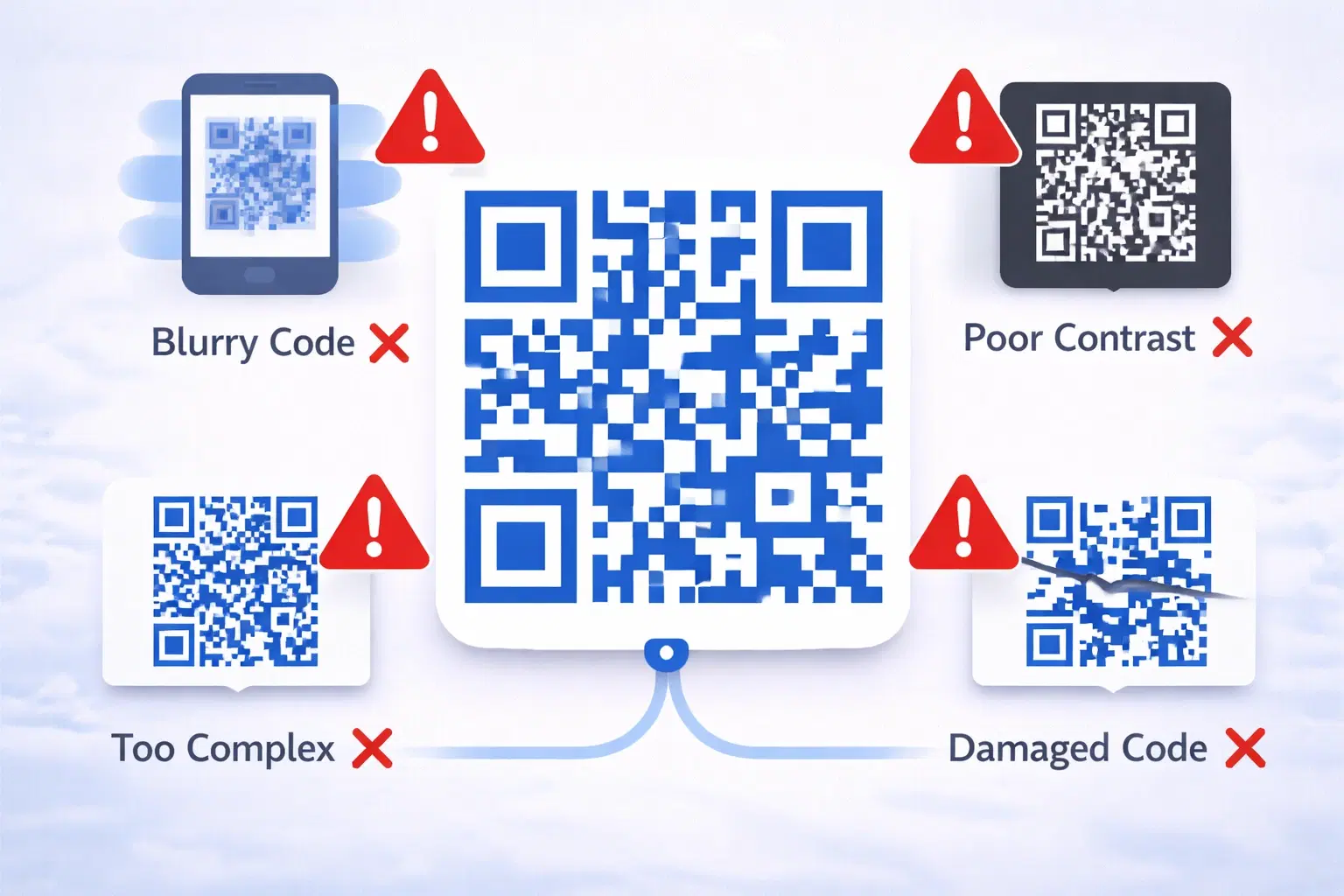
15 Common QR Code Mistakes and How to Avoid Them (Updated 2026)
A broken QR code wastes marketing spend, frustrates customers, and reflects badly on your brand. Worse — these mistakes are usually discovered only after thousands of materials are printed. Updated 2026 guide.